





What is cueing in stage lighting and how do you program cues?
- How do I calculate the number of LED stage lights and lumen requirements for a 200-seat theatre with mixed stage and audience wash?
- What's the best DMX addressing and universe planning when I have 40 LED moving heads and limited universes to avoid signal conflicts?
- How do I program smooth crossfades and keep perceived brightness consistent across LED fixtures with varying CRI and color temperatures?
- What is cue stacking and how do I resolve race conditions when multiple operators trigger overlapping cues?
- How can I set up camera-safe, flicker-free cueing for multi-camera live streaming with PWM-driven LED fixtures?
- What's the step-by-step method to create a robust backup and recovery plan for cue lists, console shows, and networked LED fixtures to prevent show loss?
How do I calculate the number of LED stage lights and lumen requirements for a 200-seat theatre with mixed stage and audience wash?
Begin with measurable parameters: stage area (m2), target illuminance (lux), fixture photometric output (use manufacturer lm or lux-at-distance), fixture beam angle, mounting distance, and desired uniformity. Recommended target illuminances: general stage wash for theatrical productions typically ranges from 300–1,000 lux on key performance areas (higher for televised or film work). Audience and house lighting can be much lower (50–200 lux). These are industry-accepted ranges—adjust by genre.
Step-by-step method:1) Measure stage area: width × depth = area (m2). Example: 10 m × 8 m = 80 m2.
2) Choose target lux: pick 500 lux for a medium theatrical wash on performers.
3) Compute total lumens required (approximate): total lumens = lux × area. Example: 500 lux × 80 m2 = 40,000 lumens.
4) Account for utilization and losses: factor in fixture beam spread, mounting height, reflectance and optical efficiency. Use a utilization factor (UF) — conservative UF range 0.4–0.7 for stage setups. Example using UF 0.6: required emitted lumens = 40,000 / 0.6 ≈ 66,700 lumens.
5) Divide by single-fixture usable lumens: modern LED wash fixtures vary widely — from ~1,500 lm (small wash) to 20,000+ lm (high-output moving wash). If you choose fixtures rated at 6,000 usable lumens for your hang, fixtures needed ≈ 66,700 / 6,000 ≈ 12 fixtures.
Notes and practical checks:
- Beam angle & mounting distance: a narrow-beam fixture at long throws will cover less area. Use manufacturer's lux-at-distance photometric tables for accuracy.
- Uniformity: place fixtures so the average:minimum uniformity ratio is around 1.5–2:1 for theatrical wash; use overhead and front washes to reduce shadows.
- On-camera needs: if multi-camera recording is planned, increase target lux by 25–50% and prefer fixtures with high CRI (>90) and adjustable color temperature to match cameras.
- Budget and redundancy: add 10–20% spare fixtures for failure or re-lamping contingencies.
This calculation is a starting point — for bids and purchase decisions use photometric planning tools (e.g., AGi32, Wysiwyg, or manufacturer photometric calculators) and request IES files from vendors to model exact coverage before committing to LED stage lights.
What's the best DMX addressing and universe planning when I have 40 LED moving heads and limited universes to avoid signal conflicts?
Understand channel counts: each fixture’s DMX footprint depends on mode (simple RGBW may be 4–8 channels; moving-head spot/wash with pan/tilt, color, gobo, dimmer, effects commonly use 16–64 channels). Always choose a mode that balances functionality vs. channel use.
Plan systematically:1) Create a spreadsheet with each fixture’s full channel count in its selected operating mode.
2) Sum channels; a single DMX universe supports 512 channels. Divide total by 512 and round up to get the number of universes required.
3) Group by function and physical zone: keep fixtures that are controlled together (e.g., front wash, specials, moving head group A) inside the same universe where possible to simplify cue programming and reduce cross-universe latency.
4) Use RDM and fixture personalities: remote discovery (RDM) speeds addressing and reduces human error. Many moving heads support RDM and can be set remotely via compatible consoles or nodes.
5) Reserve addresses for spares: leave blocks of addresses adjacent to groups for quick swap-in of replacement fixtures without re-patching.
6) Consider network protocols: use Art-Net or sACN to carry multiple universes over Ethernet. For redundancy and reliability, implement network segmentation and IGMP snooping where pixel mapping or many universes are present.
Practical example: 40 moving heads at 24 channels each = 960 channels → needs 2 universes (512 + 448 remaining). Place the first 22 fixtures in Universe 1 and the rest in Universe 2. Keep front washes and followspots in Universe 3 to avoid accidental changes when operators call cues.
Extra tips:
- Patch on the console to match physical hang order to simplify troubleshooting.
- Use clear naming conventions (e.g., MH_Front_01) and maintain printed/ digital patch lists.
- Use DMX splitters and opto-isolated interfaces for long cable runs.
How do I program smooth crossfades and keep perceived brightness consistent across LED fixtures with varying CRI and color temperatures?
Perceived brightness is influenced by intensity, spectral distribution (color temperature and CRI), and dimming curve behavior. LEDs from different manufacturers or models can look different even at identical numeric intensity values.
Key techniques:1) Standardize fixtures where possible: buying fixtures with consistent LED engines (same color mixing system and CRI) reduces mismatch. If mixing makes sense budget-wise, classify fixtures by type in your patch.
2) Use dimming curves and gamma correction: consoles provide dimming curves (linear, logarithmic, theatrical, TV). For LEDs, choose a curve that compensates for perceived non-linearity (often a LED-specific curve or a gamma correction LUT supplied by the console). Test visually and with a light meter.
3) Color calibration: match correlated color temperature (CCT) across fixtures. If two fixtures differ (e.g., one 3200K, another 5600K), visually they’ll read lighter/darker. Use console color macros or per-fixture color calibration tools (some manufacturers provide RDM or fixture LUTs) to align output.
4) Use intensity macros and offsets: create macros that adjust levels of specific fixture groups to compensate for apparent brightness differences. For example, reduce output of brighter profile fixtures by a percentage in shared cues.
5) Set consistent dimmer curves across cues and use absolute fade times rather than percentage-only fades. Absolute timing prevents staggered subjective perception across mixed fixtures.
6) Test under performance conditions: program fades at target headroom and with full rig on. Measure with a lux meter and color meter if possible; document settings.
Result: Consistent use of dimming curves, color correction, and grouped macros yields smooth, professional crossfades even with heterogeneous LED stage lights.
What is cue stacking and how do I resolve race conditions when multiple operators trigger overlapping cues?
Cue stacking is when cues are layered or queued so multiple cues can execute in sequence or concurrently. Race conditions occur when overlapping cues try to control the same parameters or fixtures with conflicting instructions (e.g., Operator A triggers a blackout cue while Operator B triggers a color chase on the same fixtures).
Prevention and resolution strategy:1) Use priority groups and cue ownership: many consoles support priority levels or locking mechanisms. Assign high-priority cues (safety, blackout, emergency) to a separate executor or master override.
2) Design cue architecture: separate cues by control domain—intensity, movers, effects—so that a cue that changes color doesn’t unexpectedly change focus positions. Use submasters or separate playback faders for shared fixtures.
3) Implement cue flags: use “Hold”, “Wait”, “Auto”, and “Time” flags consistently. For example, a “Hold” flag prevents a cue from advancing until an operator triggers it free of race conditions.
4) Use cue lists and sublists: place complex sequences into sublists and call them from the master list to avoid mixing direct manual overrides while an automated sequence runs.
5) Test failure modes: run rehearsals with assigned operators and simulate overlapping triggers. Document “who is in charge” for each part of the show in a cue map.
6) Use interlocks and pre-clear logic: some consoles allow conditional triggers (if/then) based on the status of other playbacks—use these to prevent conflicting changes.
7) Communication protocols: use headsets and call scripts for manual operations; for networked shows, use remote feedback features (e.g., fixture busy flags via RDM) so operators can see active states.
When race conditions occur live: immediately use master blackout or the dedicated priority fader to regain control, then step back to the last known-safe cue and re-block the sequence with corrected cue ownership.
How can I set up camera-safe, flicker-free cueing for multi-camera live streaming with PWM-driven LED fixtures?
Camera flicker happens when LED modulation (PWM) frequency interacts with camera shutter/frame rates or artificial lighting pulses. For live broadcasts, flicker is unacceptable.
Steps to ensure flicker-free cues:1) Choose fixtures with a documented flicker-free mode or high PWM frequency. Manufacturers commonly specify flicker-free performance; look for fixtures that explicitly list camera-safe PWM or constant-current drivers. High-end fixtures often operate at PWM frequencies above several kHz and advertise camera compatibility.
2) Test with cameras: before show day, run the full lighting state list and record with all camera models and frame rates you will use (e.g., 24, 25, 30, 50, 60, and if applicable 120 fps). Look for banding or strobing and iterate.
3) Use linear dimming curves and avoid techniques that pulse LED intensity (e.g., low-frequency chases) unless specifically camera-synced.
4) Use high refresh-rate LED drivers or fixtures using PWM frequencies well above the camera shutter speed; consult fixture specs—if a manufacturer claims “flicker-free up to 10,000 Hz” that usually covers common cameras.
5) Sync strategies: as a last resort with persistent issues, consider hardware solutions like camera genlock or frame-synchronous lighting systems in broadcast studios to lock lighting refresh to camera timing. This is complex and typically used in studio installs rather than touring rigs.
6) Document cue transitions and avoid abrupt low-level fades under camera unless tested: many cameras show banding most prominently at low intensities.
In short: buy camera-rated LED stage lights, test exhaustively with your cameras and frame rates, and select dimming modes and cue timings that avoid low-frequency modulation.
What's the step-by-step method to create a robust backup and recovery plan for cue lists, console shows, and networked LED fixtures to prevent show loss?
A multi-layered backup plan prevents single-point failures from ruining a performance. Follow this practical workflow:1) Primary show-save discipline: after programming each work session, save a timestamped show file on the console and export a copy to removable storage (USB drive). Use an explicit filename convention: YYYYMMDD_ShowName_v01.
2) Off-site and cloud backup: upload the exported show file to a cloud service (encrypted) or to a central server. Maintain at least two off-site copies.
3) Fixture configuration backup: back up fixture personalities, custom LUTs, and RDM settings if the console or manufacturer tools allow. Some fixtures enable exporting profiles—store these with the show file.
4) Patch and inventory: export or print the patch list, addressing, network topology, and cable labeling. Include DMX channel maps, Art-Net universe assignments, and IP addresses for nodes.
5) Redundant consoles / hot swap: for critical shows, configure a secondary console pre-loaded with the latest show file and match physical inputs. Practice hot-switch procedures before show day.
6) DMX/Network redundancy: use redundant Art-Net/sACN streams, IGMP network design, and redundant physical pathways if possible. Keep physical DMX backups using opto-isolated splitters.
7) Test restores: perform regular drills restoring a show from backup to a spare console and running critical cues. Test fixture behavior after restore and verify moving head homes and offsets.
8) Version control and change log: maintain a changelog documenting who changed what and when. This prevents confusion during late edits.
9) Emergency procedures: create a one-page emergency cue sheet with key cues (blackout, house, emergency light) and assign a responsible operator.
Following this plan minimizes downtime and gives confidence during live events when using LED stage lights and networked control systems.
Conclusion: Advantages of LED stage lights and professional cue programming
LED stage lights provide energy efficiency, long rated lifetimes (commonly 50,000+ hours), lower heat load, compact fixture designs, and high-color-mixing flexibility—benefits that reduce operating costs and increase creative options. Combined with professional cue programming (well-planned universes, calibrated dimming curves, cue ownership, and robust backups), you gain precise repeatability, camera-safe performance, and resilience in live events. Investing in the right LED fixtures plus disciplined programming and redundancy delivers a reliable, high-quality lighting experience for theatres, concerts, and broadcast productions.
Contact us for a quote: visit www.vellolight.com or email info@vellolight.com
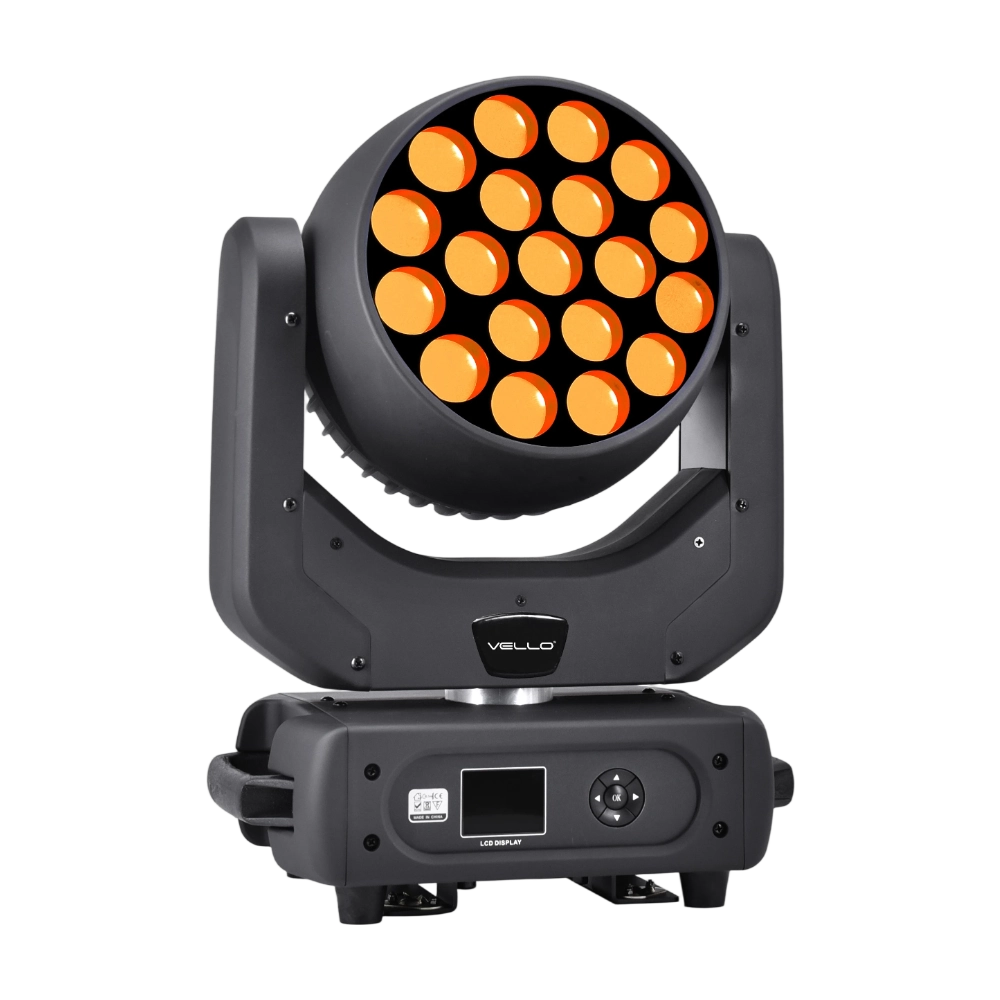
Major categories
Do you ship internationally?
Yes. We offer sea, air, and express delivery to many countries and regions worldwide.
Do you offer samples?
Samples are available for certain models. Please confirm with our sales team for details.
Do your products support customization?
Yes. We offer OEM and ODM services tailored to project needs, including design, optics, and control compatibility.
What is the warranty period for your products?
Most products come with a standard 1–2 year warranty. Please refer to product details or contract terms for specifics.
What is the usual lead time?
Standard models are typically shipped within 7–15 working days after payment. Customized items may vary.
You may also like
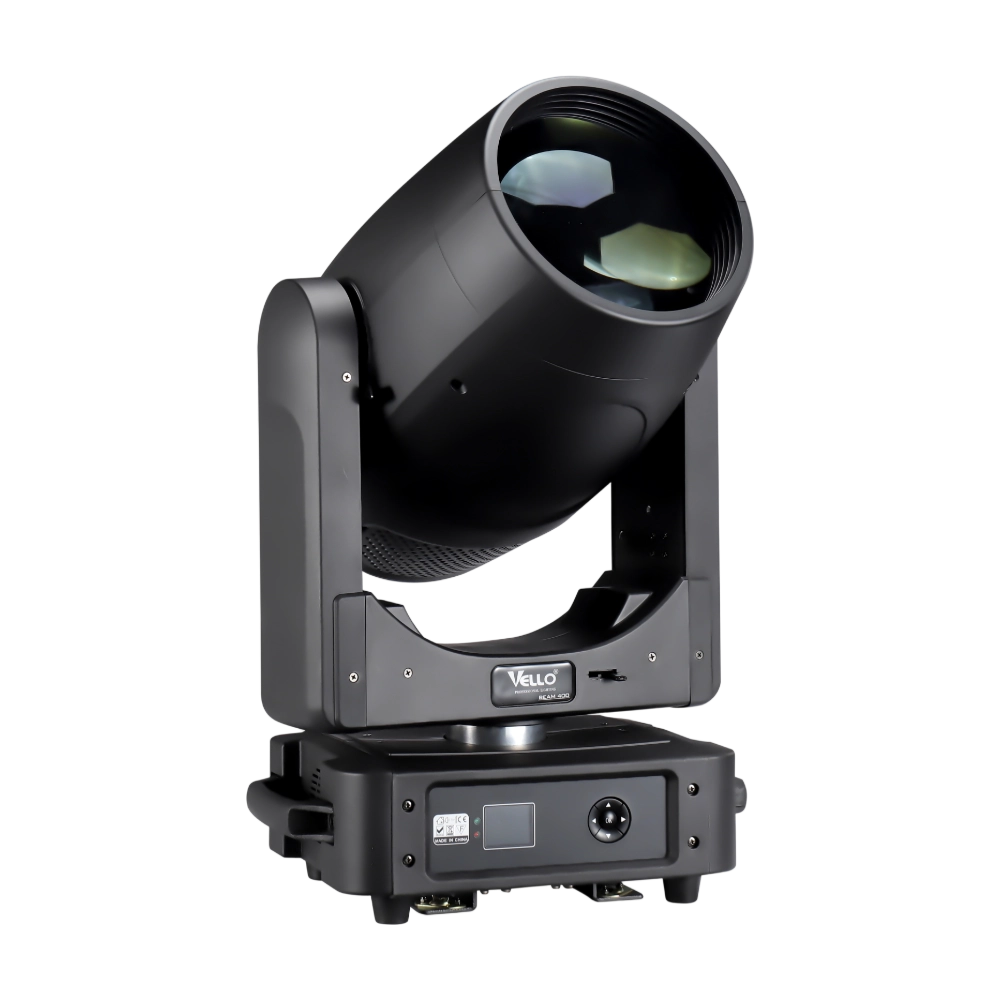
BEAM400 is a 500W professional moving head beam powered by an OSRAM SIRIUS 371W discharge bulb, delivering a super-bright 1.8° sharp beam with impressive punch. It features 12 fixed gobos + open, a 14-color wheel, and a 16-facet circular rotating prism with multiple-facet effects, enabling dynamic aerial visuals. With 540° pan / 270° tilt, 16-bit movement resolution, and linear frost and focus, BEAM400 ensures precise and versatile performance. Comparable to traditional 750W moving heads, it combines high efficiency, smooth dimming, and reliable operation—ideal for concerts, tours, and large-scale stage productions.
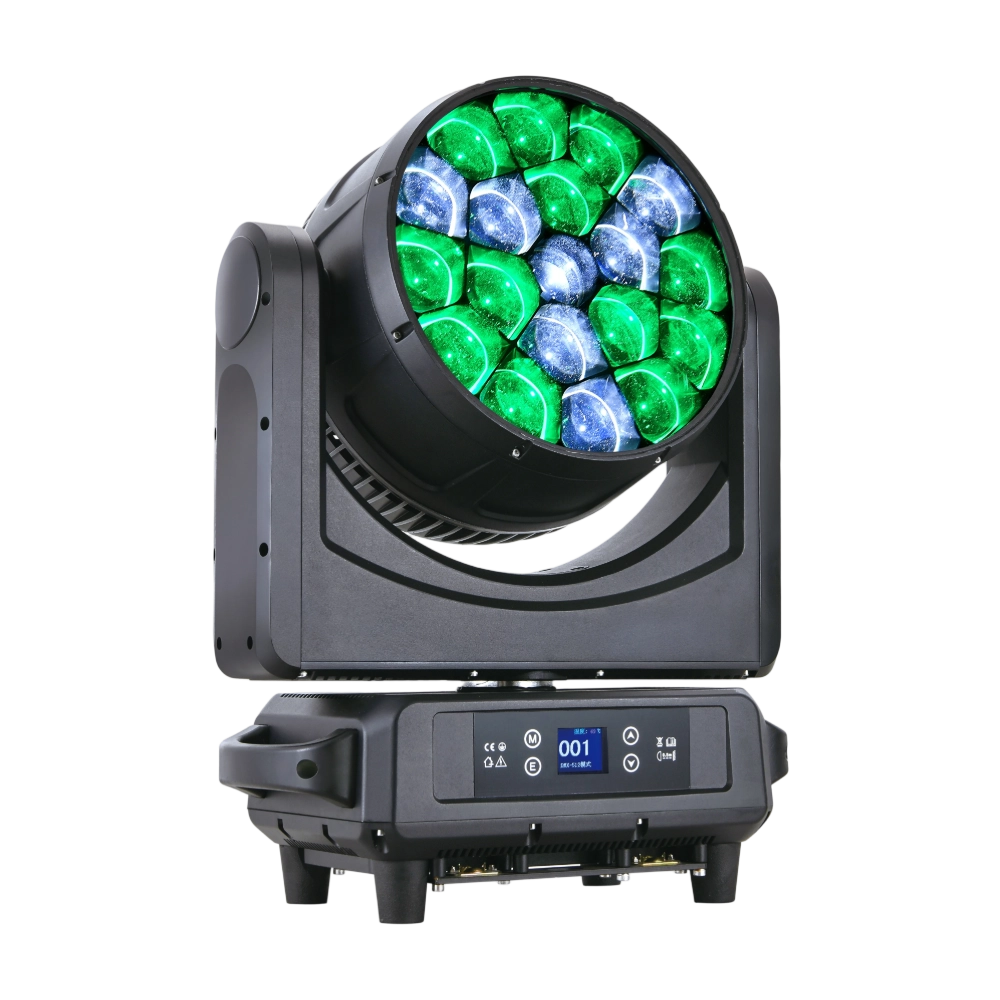
The LED Bee Eyes K19 IP is a 750W IP65-rated moving head wash, powered by 19 × 40W Osram RGBW LEDs for stunning brightness and vibrant colors. With a 4°–45° electronic zoom, wide CTO range (2700K–8000K), and a rotating lens wheel for dynamic visual effects, it delivers both powerful beams and smooth washes. Each LED can be controlled individually, enabling advanced pixel mapping and creative effects. Featuring 540° pan / 270° tilt, multiple DMX channel modes, and robust die-cast aluminum housing with excellent heat dissipation, the K19 IP is built for high-output performance in demanding outdoor and indoor productions.
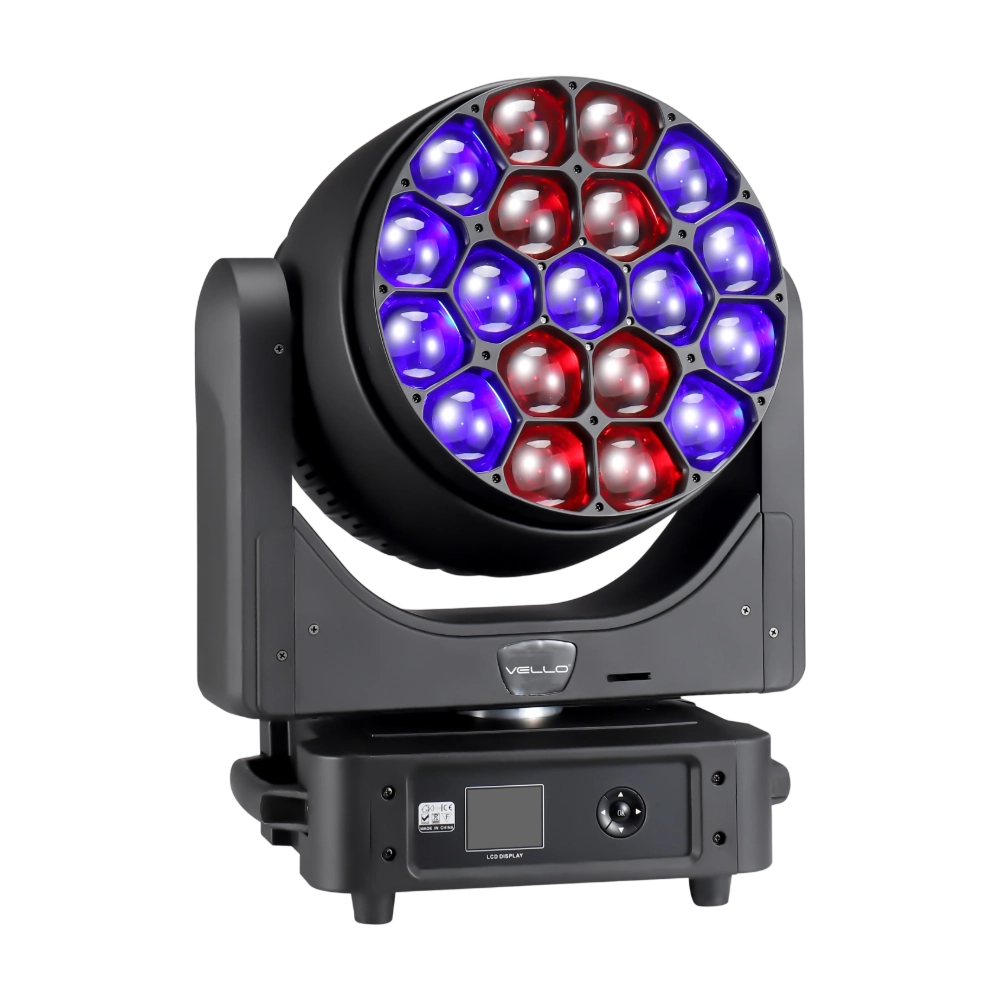
LED Bee Eyes K20 is a 750W high-output moving head wash powered by 19 × 40W Osram RGBW LEDs for intense brightness and rich color mixing. With a 4°–60° electronic zoom and wide CTO range (2700K–8000K), it seamlessly shifts from narrow beams to broad washes. Each LED can be controlled individually for advanced pixel mapping, while the rotating lens wheel creates striking dynamic effects. Featuring 540° pan / 270° tilt, multiple DMX channel modes, and robust construction, the K20 delivers exceptional flexibility and power—perfect for large concerts, stage shows, and high-impact visual productions.
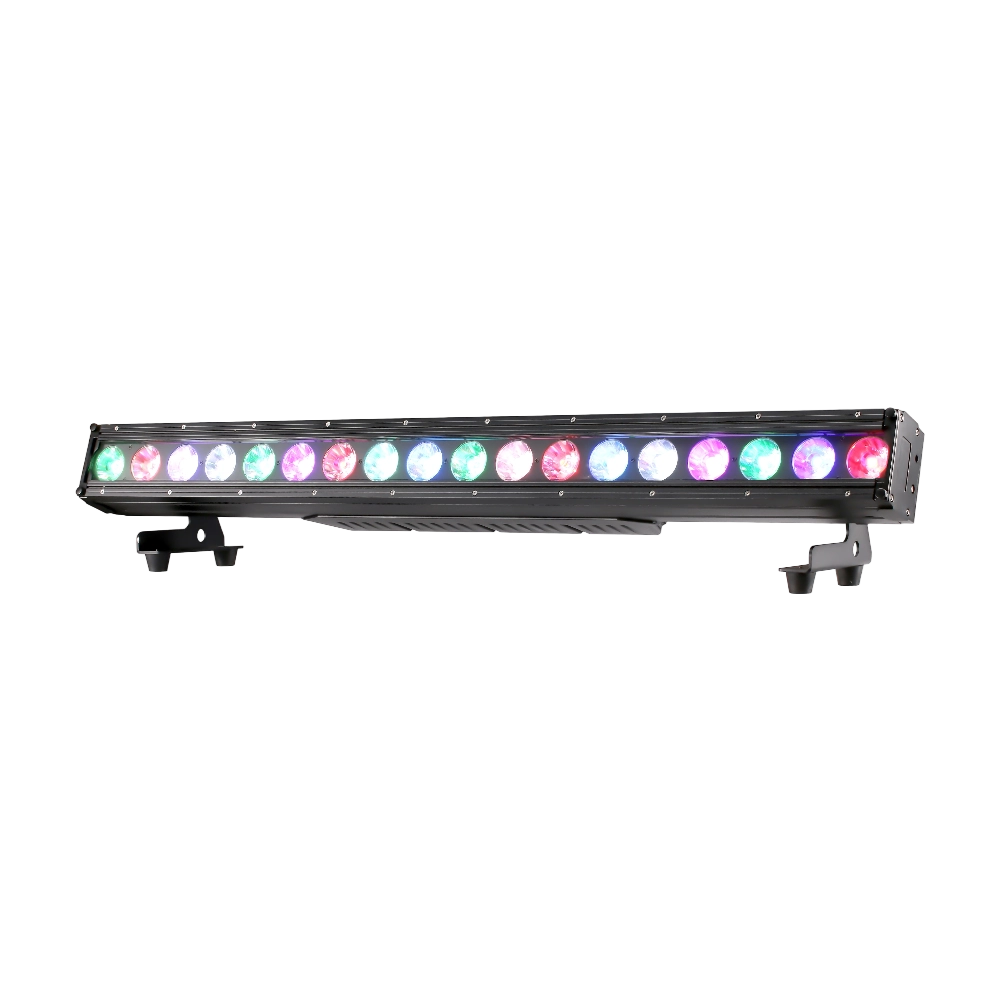
The LED Magic Bar 1841 Pixel is a high-performance 200W LED bar featuring 18 × 10W RGBW LEDs with individual pixel control. Offering lens angles of 6°/15°/25°/45°, seamless edge-to-edge splicing, and vivid RGBW color mixing, it is ideal for stage effects, pixel mapping, and architectural applications. With IP65 protection, flicker-free dimming, and DMX/RDM control, it ensures long-term reliability indoors or outdoors.
◌ Let Us Support Your Project
Request a Custom Quote and Technical Support
Fill out the form below, and our sales team will contact you shortly with product details, pricing, and customer service options.
Rest assured that your privacy is important to us, and all information provided will be handled with the utmost confidentiality.
By clicking "Send your message," I agree to your processing my personal data.
To see how to withdraw your consent, how to control your personal data, and how we process it, please see our Privacy Policy and Terms of Use.
Over 20 Years of Innovation in Stage & Studio Lighting
© 2026 VELLO. All Rights Reserved. 粤ICP备20023734号
Join our socials
VELLO
Whatsapp: +8613902276704
Vello Lighting
VelloLights