





Programming Moving Heads with Light Consoles
- Why Programming Matters in Modern Stage Lighting
- Understanding moving head lights: anatomy and DMX mapping
- Patching moving head lights on light consoles
- Networking and protocols for moving head lights
- Choosing a light console for moving head lights
- Programming workflows for moving head lights on light consoles
- Sample quick cue setup (practical example)
- Advanced techniques: pixel mapping, timecode, and RDM
- Troubleshooting moving head lights: common issues and fixes
- How to optimize programming speed for live events with moving head lights
- VELLO — A partner for moving head stage lights and solutions
- Frequently Asked Questions (FAQ)
- 1. What is the best DMX mode to use for moving head lights?
- 2. How do I avoid strobing and flicker on camera with LED moving heads?
- 3. Can I control moving head lights over Ethernet, and which protocol is better: Art-Net or sACN?
- 4. What is the fastest way to program a typical concert rig with 48 moving head lights?
- 5. How can I remotely diagnose moving head issues during a show?
- 6. Should I use coarse/fine channels or 16/32-bit resolution for pan/tilt?
- Contact & product enquiry
- References
Why Programming Matters in Modern Stage Lighting
Programming moving head lights on a light console is more than assigning channels — it’s translating creative intent into repeatable, reliable stage action. Well-structured programming saves rehearsal time, ensures cue-to-cue consistency, and enables complex effects (pixel-mapped chases, music-synced looks, or tightly timed cinematic cues). This guide covers the practical workflow, best practices, common pitfalls, and advanced techniques used by touring LDs, house technicians, and rental houses working with moving head lights.
Understanding moving head lights: anatomy and DMX mapping
To program moving head lights effectively you must understand what each fixture component does and how it maps to control channels. Typical moving head lights include pan/tilt motors, color mixing (CMY or color wheel), gobo wheels, iris, zoom/focus, shutters, prisms, frost, and intensity. Manufacturers expose these parameters via DMX channels (or via network protocols such as Art-Net/sACN).
Key practical points:
- Channel mode: fixtures often have multiple DMX modes (e.g., 8, 16, 20, 32-channel); higher-resolution modes give finer control (16/32-bit pan/tilt, separate CMY channels), but require more console channels.
- Coarse vs fine channels: many fixtures use paired channels (coarse + fine) to increase resolution. Check fixture personality for 16/32-bit pan/tilt configuration.
- Fixture library: always use or import a validated fixture profile on your console. If none exists, create or test a custom personality and document the channel map.
Patching moving head lights on light consoles
Patching assigns each physical fixture to a logical address on the console. Good patch discipline reduces errors in cueing and troubleshooting.
- Inventory: list model, DMX mode, required channels per fixture.
- Addressing strategy: group fixtures logically (e.g., front truss 1–12, wash 13–24). Use consistent universes for similar fixture groups.
- Patch and test: after patching, verify pan/tilt, color, gobo, and macros for each fixture.
Networking and protocols for moving head lights
Modern rigs use DMX512 over copper or network protocols (Art-Net, sACN/Streaming ACN) for large channel counts. RDM (Remote Device Management) allows discovery and bidirectional comms for addressing, firmware updates, and status monitoring. Understanding the tradeoffs helps choose the right approach.
| Protocol | Typical Use | Max Channels | Latency / Notes | Pros | Cons |
|---|---|---|---|---|---|
| DMX512 (E1.11) | Single-universe control (short runs) | 512 per universe | Low; point-to-point; susceptible to cable faults | Simple, widely supported | Limited channels; no native network routing |
| Art-Net | Networked large rigs | Many universes over Ethernet | Low if network configured correctly | Easy to implement, widely supported | UDP broadcast can be chatty on shared networks |
| sACN (E1.31) | Large distributed systems | Many universes over Ethernet | Low; designed for professional use | Multicast support, scalable | Requires correct network setup (VLANs, IGMP) |
| RDM (E1.20) | Device management over DMX | Works on DMX512 links | Management-oriented | Remote addressing and diagnostics | Requires RDM-capable fixtures and controllers |
Sources: E1.11 (DMX512) and E1.20 (RDM) specifications and protocol documentation — see References.
Choosing a light console for moving head lights
Select a console based on rig size, show complexity, and operator preference. Key features to evaluate: fixture library depth, FX engine (wheels vs pixel mapping), tracking of attributes, executor capabilities (macros, palettes, cue stacking), network protocol support, and user interface ergonomics.
| Console | Strengths | Best for |
|---|---|---|
| grandMA3 (MA Lighting) | Extensive fixture libraries, powerful tracking, advanced pixel mapping | Large touring shows, complex timecode-driven shows |
| ETC Ion / Element | Excellent ergonomics, strong theatre features, robust cueing | Theatre, broadcast, corporate events |
| ChamSys MagicQ | Cost-effective, flexible, strong for medium rigs and pixel control | Clubs, mid-size tours, rental houses |
Manufacturer documentation and community forums are good references when choosing a console — check fixture support lists for your specific moving head lights.
Programming workflows for moving head lights on light consoles
A consistent workflow increases speed and reliability. Below is a step-by-step workflow used by experienced programmers.
- Pre-production: gather floorplan, rig plot, fixture specifications (DMX modes, power, weight). Create an addressing plan and universes.
- Patch and verify: patch fixtures in the console, verify each fixture responds to pan/tilt, color, gobo, and intensity. Label physical cables and channels.
- Create palettes: build color palettes (RGB/CMY looks), position palettes (home positions, sightlines), and beam palettes (zoom/iris settings). Palettes speed programming and ensure consistency.
- Program cues: build cues using palettes and record them into sequential playback. Use careful timing for fades and hold times. Keep cue labels descriptive.
- Use tracking: tracking allows new cues to inherit attributes from previous cues. This reduces memory usage and makes changes faster.
- Add FX and chases: use console FX engines or pixel mappers for moving sequences. Parameterize FX using global controls (rate, size, direction) to enable live control.
- Test and refine: run full cue lists in rehearsal, refine blend times and look transitions. Validate under performance conditions (full stage haze, show brightness).
- Backups and showfile management: save incremental showfiles and export fixture personalities for redundancy.
Sample quick cue setup (practical example)
To create a simple crossfade spotlight sequence across 8 moving head lights:
- Patch 8 fixtures and label F1–F8.
- Create a position palette for left, center, right (store positions per fixture).
- Create a color palette (cool white, warm white, blue).
- Record cue 1: All fixtures at left position, cool white, intensity 100%, fade 1s.
- Record cue 2: Fixtures move to center, warm white, fade 2s. Ensure tracking for color if you want color to change automatically.
- Add an FX to cue stack: a slow pan sweep to maintain motion between cues using the console’s FX engine.
Advanced techniques: pixel mapping, timecode, and RDM
Advanced shows often combine moving head lights with LED pixel content and time-synced events.
- Pixel mapping: Many moving-head fixtures include pixel-mappable LEDs (e.g., LED rings or arrays). Use a console with pixel mapping to map each LED to a pixel universe. For multichannel fixtures, test mapping in a small group before scaling.
- Timecode (MTC / LTC): For music-driven shows, synchronize console cues to SMPTE LTC or MTC. Test start/stop behaviors and ensure console cue lists respond correctly to timecode jumps.
- RDM: Use RDM to remotely address fixtures, monitor lamp hours or temperature, and push firmware updates where supported. RDM simplifies large rig setup and preventative maintenance.
Troubleshooting moving head lights: common issues and fixes
Common problems and practical fixes:
- Jittery pan/tilt — check DMX refresh rate, ensure correct resolution channels are used (avoiding coarse/fine mismatches), and verify mechanical calibration.
- Flicker or strobing — verify LED dimming curve and console PWM frequency settings; some fixtures have selectable dimming modes to reduce strobing on video.
- Dead fixtures — test cable continuity, check terminators on DMX lines, verify correct universe and address, and try direct patching (bypass network node) to isolate the problem.
- Network issues (Art-Net/sACN) — segment lighting traffic onto a dedicated VLAN, use managed switches with IGMP snooping for sACN multicast, and avoid using wireless for critical control traffic.
How to optimize programming speed for live events with moving head lights
Speed is often as important as quality on live events. Techniques to speed programming:
- Use palettes and tracking extensively to reduce repetition.
- Build and reuse macros (sequence of actions) for repetitive tasks like blackout or full-intensity looks.
- Leverage fixture groups and submasters (executors) to keep frequently used looks immediately accessible.
- Create a template showfile for recurring venues with common fixture layouts and default palettes.
VELLO — A partner for moving head stage lights and solutions
Vello Light Co., Ltd., established in 2003, is a comprehensive technology enterprise integrating R&D, manufacturing, and sales. Over the years, VELLO has consistently adhered to the principles of quality first and sincere service. With the support of numerous customers domestically and internationally, VELLO has continued to grow into an experienced and cohesive team in the stage lighting industry.
In recent years, as the LED lighting market expanded, VELLO assembled a large number of professionals to provide systematic services including product R&D, manufacturing, marketing, engineering installation, and maintenance. VELLO focuses on moving head stage lights, studio lights, LED effect lights, LED bar lights, LED par lights, and outdoor stage lighting. Their products are known for professional technology, distinctive style, high-quality materials, and long-term durability — earning strong reputation especially in export markets.
Why consider VELLO for moving head lights in your rig:
- Product breadth: moving head stage lights and theatrical fixtures across beam, spot, and wash categories.
- Manufacturing & R&D capability: in-house engineering enables customizations for touring, rental, or fixed-install projects.
- Service ecosystem: pre-sales consultation, engineering installation support, and after-sales maintenance.
- Reputation & export experience: established brand presence overseas and quality control processes for consistent output.
VELLO’s vision is to become a world-leading stage lighting manufacturer. For projects requiring reliable moving head lights combined with technical support, VELLO represents a competitive supplier with deep manufacturing experience and product diversity.
Frequently Asked Questions (FAQ)
1. What is the best DMX mode to use for moving head lights?
Use the highest resolution mode you need for smooth movement and fine control (e.g., 16/32-bit pan/tilt for slow, precise camera follow). For shows with extremely large channel counts where console resources are limited, use a reduced mode that keeps essential parameters accessible. Always test both in rig context before the show.
2. How do I avoid strobing and flicker on camera with LED moving heads?
Check fixture PWM/dimming frequency settings and choose high-frequency settings if available. Also use consoles with adjustable dimming curves and ensure frame rate compatibility with camera shutter speeds. Haze/fog levels can affect perceived flicker — test camera under final lighting conditions.
3. Can I control moving head lights over Ethernet, and which protocol is better: Art-Net or sACN?
Yes. Both Art-Net and sACN are common. Art-Net is broadly supported and simple to use; sACN (E1.31) is designed for scalable professional systems with multicast and better network segmentation options. For large distributed rigs, sACN on a properly configured network (VLANs, IGMP) is usually more robust.
4. What is the fastest way to program a typical concert rig with 48 moving head lights?
Use a template showfile with patched fixtures, pre-built color/position palettes, and a default FX bank. Group fixtures logically, use tracking for cue inheritance, and place common looks on executors. Reuse macros for repetitive scene changes to reduce manual programming time.
5. How can I remotely diagnose moving head issues during a show?
If fixtures and consoles support RDM, use RDM to query lamp hours, temperature, and address information. For networked fixtures, use manufacturer network tools to verify packet flow. Always carry a spare fixture and patch test cables on-site to swap quickly.
6. Should I use coarse/fine channels or 16/32-bit resolution for pan/tilt?
For camera-follow or precision work use 16/32-bit resolution to avoid stepping in slow movement. For fast-moving concert looks where extreme precision isn’t visible, coarse channels are acceptable and reduce overall channel consumption.
Contact & product enquiry
For product details, custom fixture configurations, or project consultation on moving head lights and complete lighting systems, contact VELLO’s sales and technical team. Whether you need touring moving head stage lights, studio lights, LED effect lights, LED bar lights, LED par lights, or outdoor stage lighting, VELLO can provide technical specification sheets, photometric data, and system design assistance. Email or visit the company website for catalogs, factory capabilities, and support options.
References
- DMX512 — Wikipedia. https://en.wikipedia.org/wiki/DMX512 (accessed 2025-12-27)
- Art-Net — Wikipedia. https://en.wikipedia.org/wiki/Art-Net (accessed 2025-12-27)
- Streaming ACN (sACN) — Wikipedia. https://en.wikipedia.org/wiki/Streaming_ACN (accessed 2025-12-27)
- Remote Device Management (RDM) — Wikipedia. https://en.wikipedia.org/wiki/Remote_Device_Management (accessed 2025-12-27)
- MA Lighting (grandMA3 product information). https://www.malighting.com/ (accessed 2025-12-27)
- ETC consoles (Ion/Element product pages). https://www.etcconnect.com/ (accessed 2025-12-27)
- ChamSys MagicQ — official site. https://chamsys.co.uk/ (accessed 2025-12-27)
Supply Chain Risks and Lead Times for LED Moving Head Light
Cost-Benefit Analysis: Custom Outdoor Lighting for Venues
How to Choose Custom LED Lighting for Theatrical Venues
Wireless DMX and Bluetooth Control for Stage Lights
Major categories
What is the warranty period for your products?
Most products come with a standard 1–2 year warranty. Please refer to product details or contract terms for specifics.
Do you ship internationally?
Yes. We offer sea, air, and express delivery to many countries and regions worldwide.
Do you offer samples?
Samples are available for certain models. Please confirm with our sales team for details.
Do your products support customization?
Yes. We offer OEM and ODM services tailored to project needs, including design, optics, and control compatibility.
What is the usual lead time?
Standard models are typically shipped within 7–15 working days after payment. Customized items may vary.
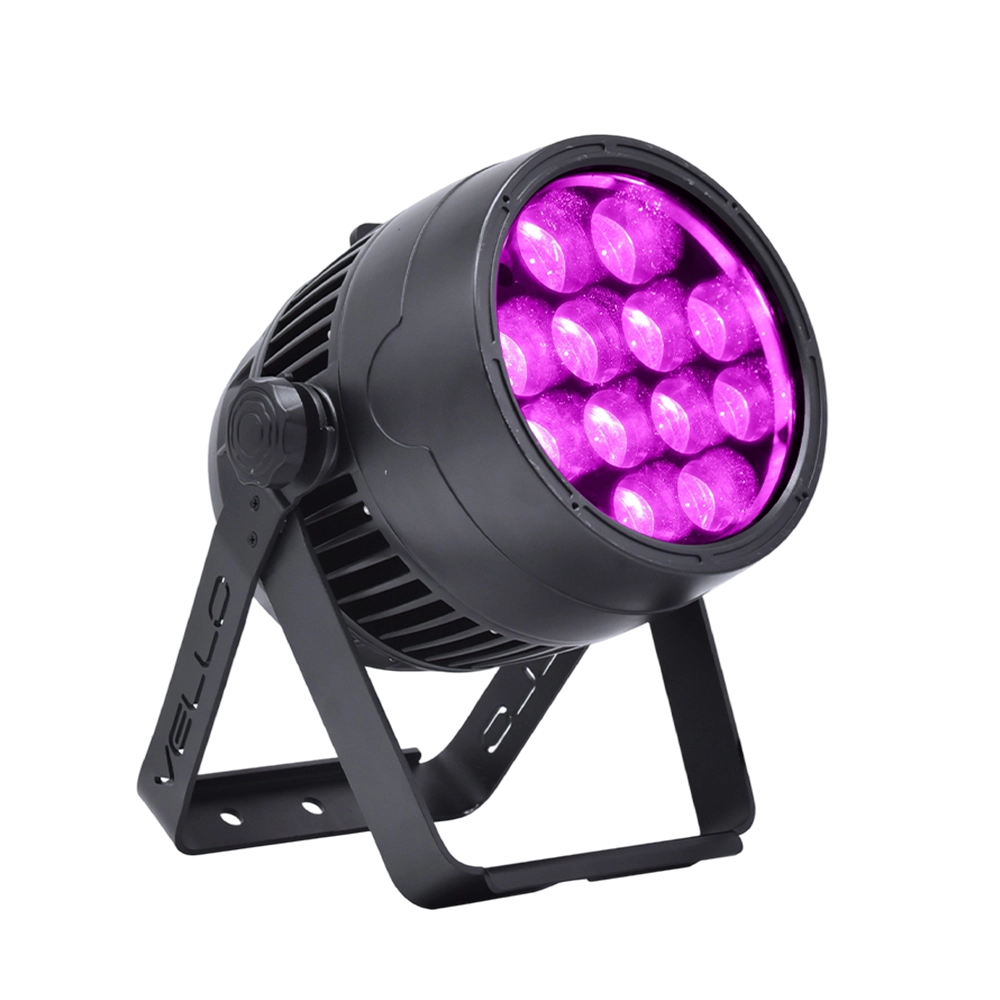
Stage LED Par Light LED ZOOMPAR 40
The Vello Zoom Par 40 IP is a powerful outdoor LED wash light equipped with 12x high-power 7-in-1 RGBACL LEDs. Designed for durability and rich color rendering, it features a wide motorized zoom (6°–50°), smooth dimming, and adjustable CTO presets (3200K–7500K), with 90+ CRI. With an IP66-rated die-cast aluminum body, it’s ideal for both indoor and outdoor applications, including stage lighting, architecture, live events, and installations.
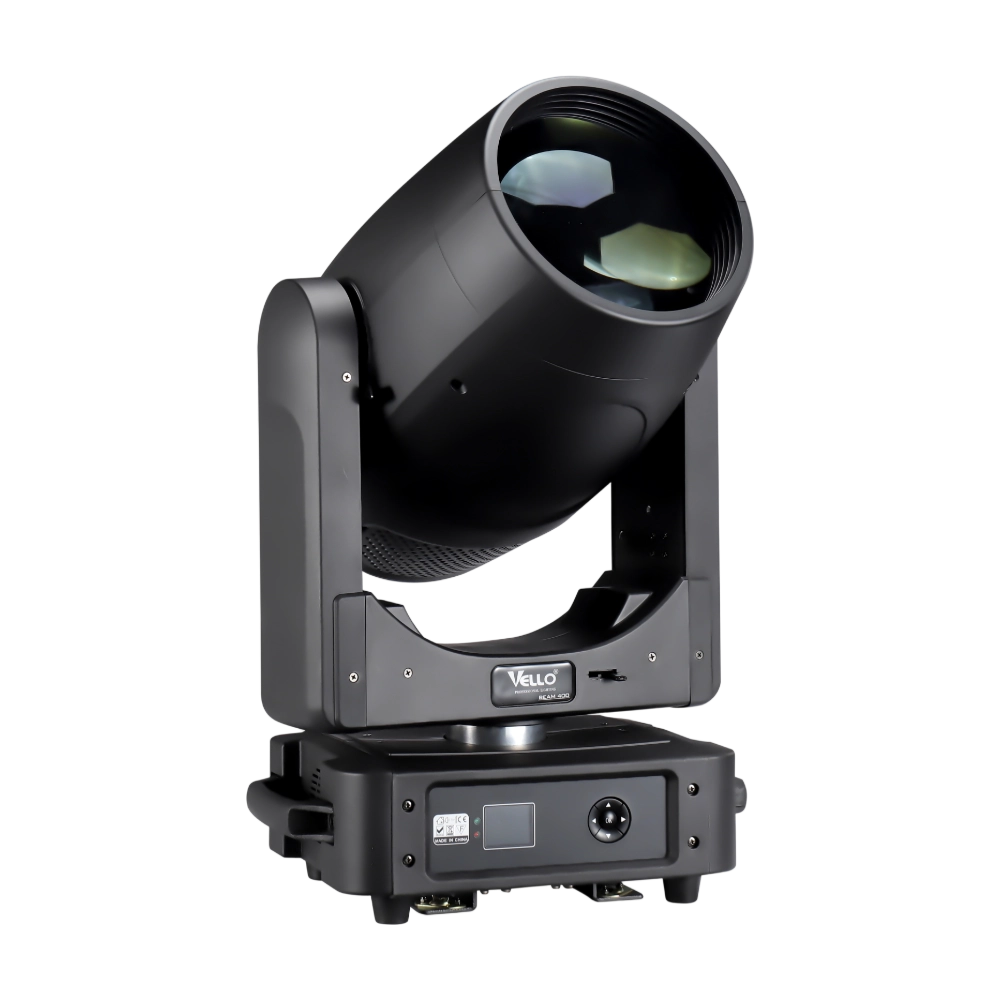
Moving Head Stage Light BEAM 400
BEAM400 is a 500W professional moving head beam powered by an OSRAM SIRIUS 371W discharge bulb, delivering a super-bright 1.8° sharp beam with impressive punch. It features 12 fixed gobos + open, a 14-color wheel, and a 16-facet circular rotating prism with multiple-facet effects, enabling dynamic aerial visuals. With 540° pan / 270° tilt, 16-bit movement resolution, and linear frost and focus, BEAM400 ensures precise and versatile performance. Comparable to traditional 750W moving heads, it combines high efficiency, smooth dimming, and reliable operation—ideal for concerts, tours, and large-scale stage productions.
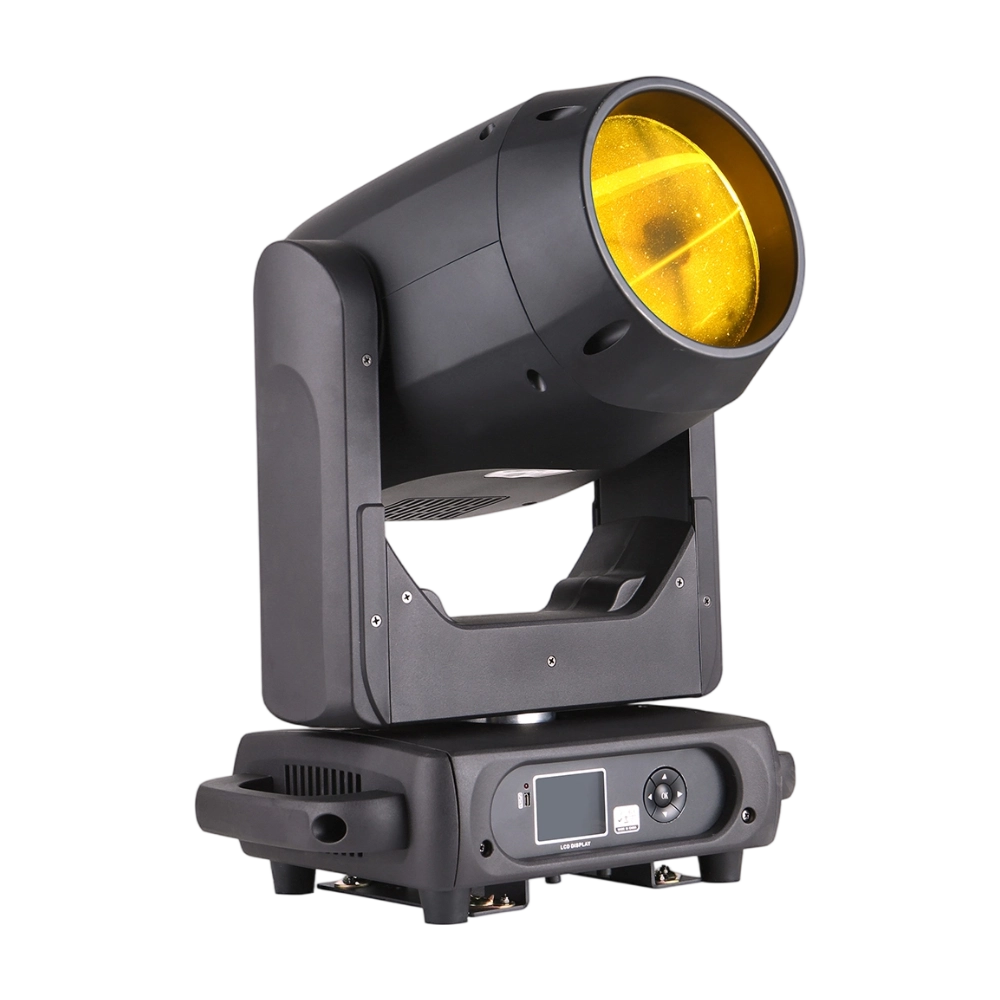
Moving Head Stage Light BEAM 360
BEAM360 is a 400W high-power moving head beam equipped with an OSRAM SIRIUS 311W discharge lamp, delivering a sharp 1.8° beam with super brightness. It features 14 colors + open, 12 fixed metal gobos + open, and dual prisms (8-facet circular + 8+16 multi-facet combination) for dynamic aerial effects. With 540° pan / 270° tilt, 16-bit movement, and linear frost and focus, BEAM360 ensures precision and versatility. Compact yet powerful, it rivals traditional 575W moving heads, making it ideal for concerts, clubs, and large-scale stage productions.
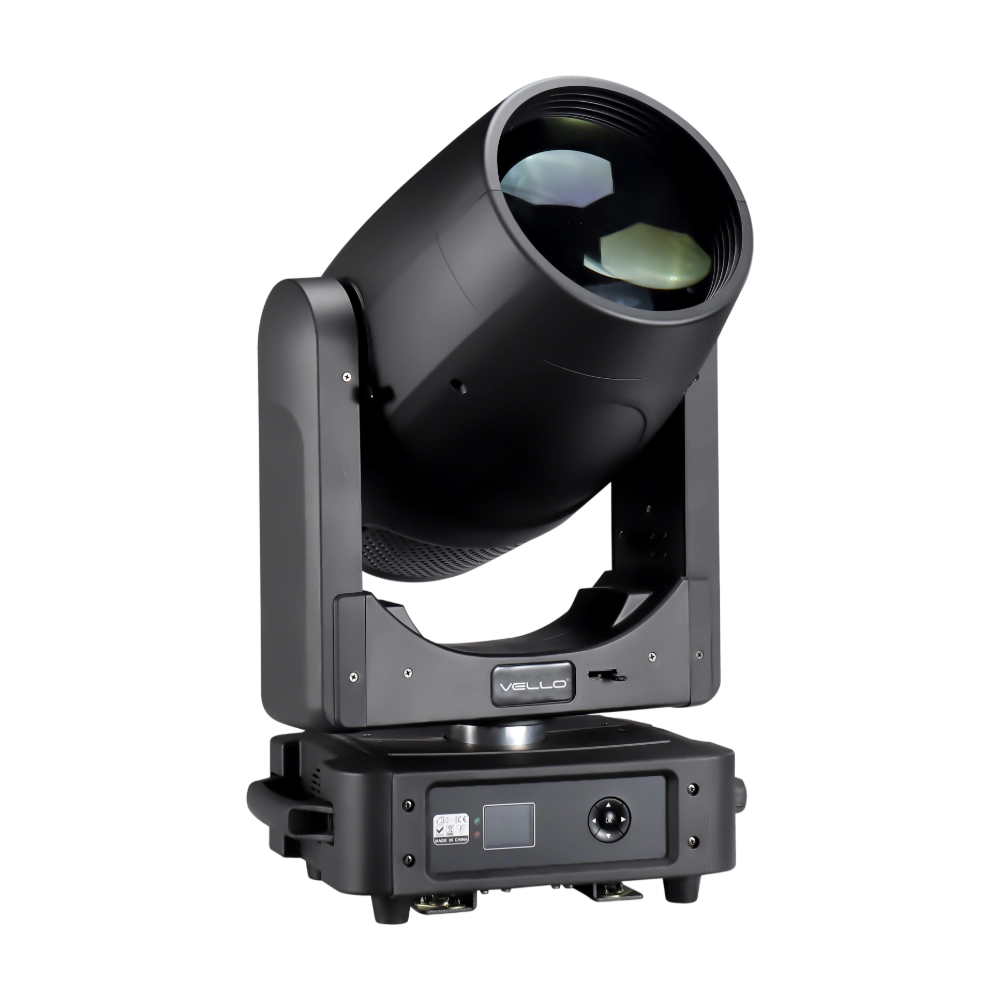
Moving Head Light BEAM 450
The BSW450 is a high-performance moving head fixture equipped with an original Osram 420W bulb, delivering exceptional brightness, precision, and versatility. Designed for professional stage applications, it seamlessly combines beam, spot, and wash functions in one compact unit, making it a powerful all-in-one lighting solution.
Over 20 Years of Innovation in Stage & Studio Lighting
© 2026 VELLO. All Rights Reserved. 粤ICP备20023734号
Join our socials
VELLO
Whatsapp: +8613902276704
Vello Lighting
VelloLights