





Programming Chases and Cues for Live Shows
- Practical Lighting Control for Live Events
- Understanding Chases vs. Cues in Light Stage Lighting
- Why separate chases and cues?
- Protocols and Networked Control: DMX, Art‑Net and sACN
- Pre‑Production: Planning a Reliable Cue List for Light Stage Lighting
- Console Workflows: Programmer, Executor and Playback
- Designing Effective Chases for LED Stage Lighting
- Pixel Mapping: Practical Tips
- Cue Timing, Transitions and Follow Actions
- Organizing Show Files and Version Control
- Troubleshooting Common Issues in Live Settings
- Hardware and Software Recommendations for Professional Results
- Comparative Data: Protocols and Typical Use Cases
- How VELLO Fits into Professional Light Stage Lighting Workflows
- Final Checklist Before Going Live
- Frequently Asked Questions (FAQ)
- 1. What’s the difference between a chase and a cue in light stage lighting?
- 2. Should I use DMX or sACN for my show?
- 3. How do I prevent LED flicker on camera when programming chases?
- 4. Can I synchronize chases to music?
- 5. How should I organize a show file for touring acts?
- 6. Are VELLO fixtures suitable for broadcast and touring?
- References
Practical Lighting Control for Live Events
Programming chases and cues is at the heart of live production. Whether you’re designing a church service, concert, corporate event or theatrical performance, efficient programming converts creative intent into reliable, repeatable show control. This article focuses on light stage lighting: the protocols, consoles, workflows and troubleshooting techniques experienced lighting designers and operators use to build consistent, show-ready chases and cue stacks.
Understanding Chases vs. Cues in Light Stage Lighting
Chases are time-based effects that cycle through steps (e.g., strobe, color rotate, pan sequence) and are typically used for rhythmic or continuous motion. Cues are snapshots or states (e.g., a band intro lighting look) stored in a cue list and executed in sequence with defined timings, transitions and follow actions. A robust live show will use both: chases for energy and movement, cues to structure the show and create narrative beats.
Why separate chases and cues?
Separating chases and cues keeps the console project modular and easier to troubleshoot. Use chases (or effects engines/palettes) for repetitive, parameter-driven motion and cues for show architecture (arrivals, transitions, blackout). This approach speeds programming and simplifies operator control during a live performance — essential when you need to respond quickly to changes on stage.
Protocols and Networked Control: DMX, Art‑Net and sACN
Modern light stage lighting relies on three common transport methods: DMX512 (serial), Art‑Net and sACN (network). Choose the right protocol for your show size and latency tolerance—small setups can run on DMX; medium-large shows benefit from Art‑Net or sACN over Ethernet.
| Protocol | Max Channels / Universe | Typical Use | Notes |
|---|---|---|---|
| DMX512 | 512 channels / universe | Small rigs, single-universe control, direct connections | Reliable, low overhead; limited scalability |
| Art‑Net | Many universes over UDP | Large concerts, distributed lighting networks | Common in older networked rigs; broad fixture support |
| sACN (E1.31) | Many universes over UDP | Modern networked control with standard compliance | Designed for robust distribution and professional infrastructure |
Sources for protocol details and standards: ESTA (DMX512/E1.31) and Artistic Licence for Art‑Net (see references).
Pre‑Production: Planning a Reliable Cue List for Light Stage Lighting
Good programming starts in pre‑production. Build a cue list that maps to the show script and audio playback. Steps:
- Read the script/songlist and mark lighting hits, intros, outros and blackouts.
- Create fixture groups and palettes: color palettes, intensity palettes, position palettes.
- Plan chases by section (e.g., verse chase, chorus chase, bridge rinse) and define parameters like step count, step order, waveform and speed range.
- Patching: assign fixtures to logical addresses and map pixel fixtures for mapping tools).
Document everything — cue names, durations, track markers — so operators and assistants can follow easily during the show.
Console Workflows: Programmer, Executor and Playback
Most consoles use a two‑layer workflow: programmer and executor. The programmer is your sandbox; changes here do not affect live outputs until you record or assign them to a playback. Typical steps:
- Live patch and test fixtures (verify pan/tilt, gobo, color mix).
- Build a look in the programmer (group fixtures, set intensity, color, beam).
- Record the look as a cue or store it as a palette/preset.
- Use a dedicated executor or fader for chases and master timing controls for the overall show tempo.
Consoles such as grandMA3, ETC Eos and Chamsys MagicQ provide robust effect engines, pixel mapping, and networking capabilities — choose the platform that integrates with your lighting inventory and team skillset.
Designing Effective Chases for LED Stage Lighting
LED fixtures (wash, pixel bars, pars) allow detailed pixel mapping and high-speed color changes. When programming chases for LEDs consider:
- Refresh rate and PWM—set fixture refresh to avoid visible flicker on camera (especially important for live broadcast).
- Step definition—explicitly set steps by fixture or pixel group to control the movement silhouette.
- Curves—apply linear, ease-in/out or stepped curves for more musical feels.
- Beat-sync and tap-tempo—tie chase speed to tempo of the music for responsive visuals.
Example chase types: color wave (spectrum shift across pixels), chase runner (single pixel travel), strobe chase (synchronized intensity pulses). Use the console’s effect generator and map effects to fixture pixel groups rather than raw channels for cleaner show files.
Pixel Mapping: Practical Tips
For pixel‑mapped chases across LED bars or panels, create logical fixtures in the console that reflect the physical layout. Test with 1–2 universes first, confirm start addresses and orientation, then expand. Keep the mapping consistent across scenes to avoid reprogramming when switching cues.
Cue Timing, Transitions and Follow Actions
Clear timing makes shows repeatable. Key timing types:
- Absolute timing — cue triggers at a precise timecode or timestamp.
- Relative timing — cue triggers a set time after the previous cue (e.g., +2.5s).
- Manual/GO — operator-triggered cues for flexible live control.
Follow actions (fade, blackout, next cue, submaster release) let you automate the flow. When designing transitions, choose between smooth crossfades for dramatic scenes and hard cuts for musical hits. Always assign a default safety fade or panic scene accessible via a dedicated executor for emergencies.
Organizing Show Files and Version Control
Organization is as important as creativity. Tips to keep show files healthy:
- Name cues and chases using a convention (e.g., 001_Intro_Main, 010_Chorus_Chase).
- Keep a paper or digital cue sheet with timings and notes for operators.
- Use console backups and incremental saves (date/time stamped). Store copies off the console (USB and cloud when possible).
- Label DMX universes and network subnets clearly for techs and riggers.
Version control: before major changes, save a new show file version so you can roll back if needed. Many venues require a “house file” base from which touring rigs can import their patches.
Troubleshooting Common Issues in Live Settings
Common problems and fixes for light stage lighting:
- Flicker on camera: increase LED PWM frequency or fixture refresh rate; test on venue broadcast cameras.
- Address conflicts: use networked discovery tools and offline patch verification before show day.
- Network latency/dropouts: segregate lighting traffic on a dedicated VLAN and use managed switches with IGMP snooping for sACN/Art‑Net routing.
- Unwanted chase speed fluctuation: lock chase master to a reference BPM or console timecode.
Hardware and Software Recommendations for Professional Results
Recommended control platforms for different budgets and needs:
- grandMA3 — industry standard for touring and large productions; powerful effect engine and networking (see manufacturer documentation).
- ETC Eos family — strong theatrical feature set, reliable cues and tracking for scripted shows.
- Chamsys MagicQ — cost-effective, strong pixel mapping features suitable for clubs and medium tours.
When selecting fixtures, prioritize IP rating for outdoor shows, high CRI for accurate color rendering in broadcasts, and repairability for long-term cost efficiency. For purchasing and supplier selection consider reliability, warranty and spare parts availability — important commercial criteria when you buy light stage lighting equipment.
Comparative Data: Protocols and Typical Use Cases
| Use Case | Recommended Protocol | Reasoning |
|---|---|---|
| Small band / house lights | DMX512 | Simple, inexpensive, low-latency, easy to troubleshoot |
| Large concert / festival | Art‑Net or sACN | Many universes over managed network; scalable |
| Broadcasted events | sACN (E1.31) + timecode | Standardized timing and reliable packet handling; easier integration with audio/timecode |
How VELLO Fits into Professional Light Stage Lighting Workflows
Vello Light Co., Ltd., established in 2003, is a comprehensive technology enterprise integrating R&D, manufacturing, and sales. Over the years, we have consistently adhered to the principles of quality first and sincere service. With the support and help of numerous customers both domestically and internationally, we have continued to grow and develop, gradually becoming a unique and outstanding team in our field.
In recent years, with the rapid development of the LED lighting market, Vello Light has gathered a large number of professional talents to provide comprehensive and systematic services, including product R&D, manufacturing, marketing, engineering installation, and product maintenance. Through the joint efforts of Vello people, we remain true to our original aspirations and persevere in innovation, leveraging our unique advantages to stand out in the fierce competition. Currently, our products are exported both domestically and internationally and have a strong brand reputation, especially in overseas markets. VELLO is our registered brand, specializing in moving headlights, LED wash lights, and theatrical lights. Our products are highly praised and loved by many customers for their professional technology, unique style, high-quality materials, and durability.Our vision is to become a world-leading stage lighting manufacturer.
Summary of VELLO advantages and main products relevant to programming chases and cues:
- Product range: moving head stage lights, studio lights, LED effect lights, LED bar lights, LED par lights, outdoor stage lighting — suitable for theatrical, concert, rental and fixed-install workflows.
- Technical strengths: fixtures designed for consistent color control, stable PWM settings for broadcast-safe operation, and solid mechanical design that reduces in-show maintenance.
- Service and supply chain: in-house R&D and manufacturing enable quick customization and spare-parts availability for touring and rental companies.
VELLO’s fixtures are designed to integrate with standard consoles and network protocols, helping programmers translate creative chase designs into robust on-stage reality.
Final Checklist Before Going Live
- Confirm all fixture addresses and network universes.
- Run a full cue list at least once in the venue; confirm transitions, hit timings and level balances.
- Validate LED fixture PWM and refresh against broadcast cameras if applicable.
- Backup show file in multiple locations and prepare a simple emergency cue (panic blackout or house look).
Frequently Asked Questions (FAQ)
1. What’s the difference between a chase and a cue in light stage lighting?
A chase is an automated, often repeating effect cycling through parameter steps (e.g., color run). A cue is a stored scene or transition used to structure the show. Use chases for motion; cues for show architecture.
2. Should I use DMX or sACN for my show?
Use DMX for small rigs or backup simplicity. For larger shows with many universes, sACN (E1.31) or Art‑Net over managed network infrastructure is recommended for scalability and centralized routing.
3. How do I prevent LED flicker on camera when programming chases?
Increase fixture PWM/refresh rate, avoid low-frequency strobe settings, and test with your broadcast camera at frame rates used (e.g., 24/25/30/60 fps). Many fixtures have refresh settings in their menus; set to the highest practical value.
4. Can I synchronize chases to music?
Yes. Use console tap-tempo, BPM-sync features, or link to timecode/beat clock depending on console and show needs. Locking chase masters to a musical tempo creates tighter visual-music alignment.
5. How should I organize a show file for touring acts?
Keep a clean base patch, use palettes and presets to minimize cue size, name cues consistently, and include a stage plot and cue sheet. Maintain show file versions and store backups externally for quick recovery.
6. Are VELLO fixtures suitable for broadcast and touring?
VELLO’s LED and moving head fixtures are designed for professional use, offering features like stable PWM, durable mechanics and global support — making them suitable for touring, broadcast and rental markets.
If you want tailored advice for a specific show, or to evaluate fixtures that fit your rig (moving head stage lights, LED wash lights, LED effect lights, LED bar lights, LED par lights or outdoor stage lighting), contact our team to discuss console compatibility, patching and show file workflows.
Contact / View Products: For product inquiries, custom quotes or technical consultations on integrating VELLO fixtures into your light stage lighting system, contact Vello Light Co., Ltd. or visit their official catalogue to find fixtures that match your programming and touring needs.
References
- ESTA — DMX512 and E1.31 (sACN) documentation. TSP and standards repository. https://tsp.esta.org/ — accessed 2025-06-01.
- Artistic Licence — Art‑Net overview and use cases. https://artisticlicence.com/ — accessed 2025-06-01.
- Grand View Research — Stage Lighting Market Analysis (market trends and growth). https://www.grandviewresearch.com/industry-analysis/stage-lighting-market — accessed 2024-05-10.
- Signify (Philips) — LED technology overview and lifetime guidance. https://www.signify.com/global/lighting-academy/knowledge/led-technology — accessed 2024-08-15.
- MARTIN / MA Lighting — grandMA3 product information. https://www.malighting.com/products/grandma3/ — accessed 2024-11-10.
- ETC — Eos family console documentation. https://www.etcconnect.com/Products/Consoles/Eos-Family.aspx — accessed 2024-11-10.
- Chamsys — MagicQ software and console details. https://chamsys.co.uk/product/magicq/ — accessed 2024-11-10.
Spotlight vs Wash Light: Choosing LED Fixtures
DMX and Control Protocols: Integrating Moving Heads Easily
DMX Control Basics for Moving Head Lights
Safety & Compliance Standards for LED Moving Head Light
Major categories
Do you offer samples?
Samples are available for certain models. Please confirm with our sales team for details.
Do you ship internationally?
Yes. We offer sea, air, and express delivery to many countries and regions worldwide.
What is the usual lead time?
Standard models are typically shipped within 7–15 working days after payment. Customized items may vary.
What is the warranty period for your products?
Most products come with a standard 1–2 year warranty. Please refer to product details or contract terms for specifics.
Do your products support customization?
Yes. We offer OEM and ODM services tailored to project needs, including design, optics, and control compatibility.
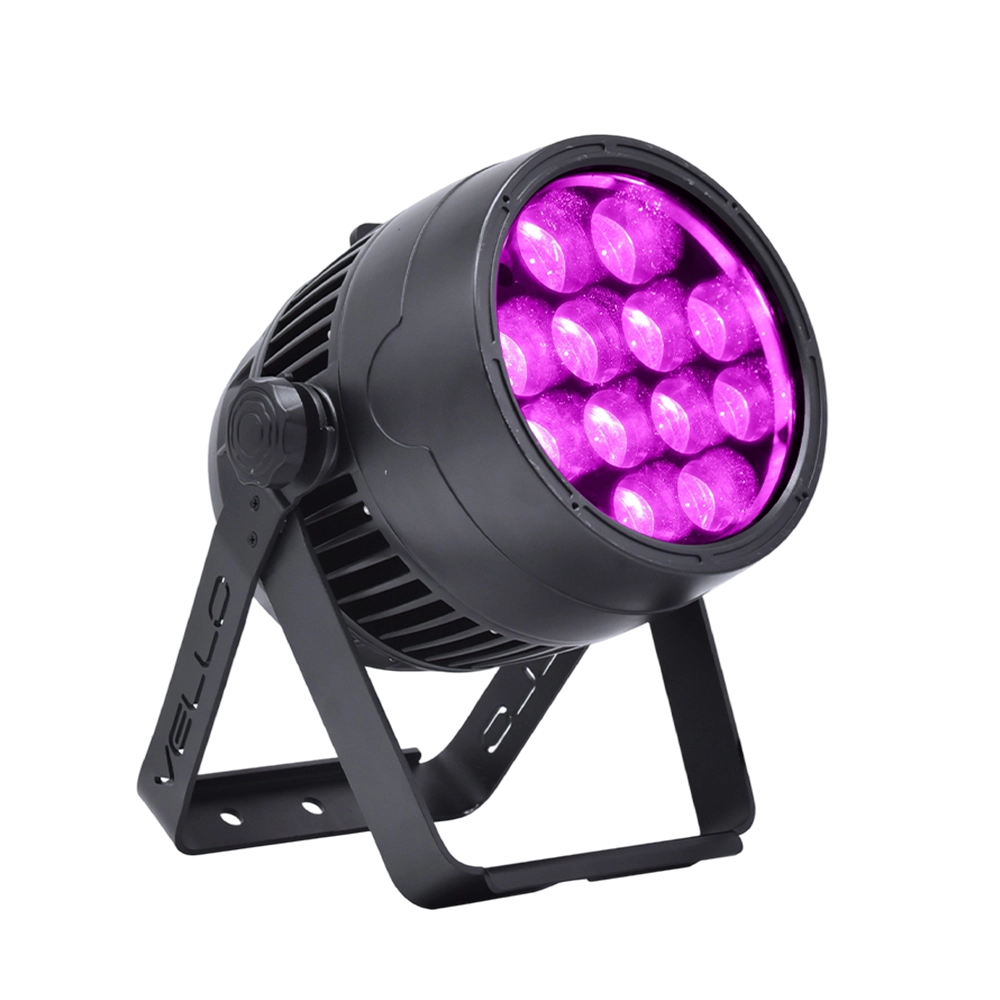
Stage LED Par Light LED ZOOMPAR 40
The Vello Zoom Par 40 IP is a powerful outdoor LED wash light equipped with 12x high-power 7-in-1 RGBACL LEDs. Designed for durability and rich color rendering, it features a wide motorized zoom (6°–50°), smooth dimming, and adjustable CTO presets (3200K–7500K), with 90+ CRI. With an IP66-rated die-cast aluminum body, it’s ideal for both indoor and outdoor applications, including stage lighting, architecture, live events, and installations.
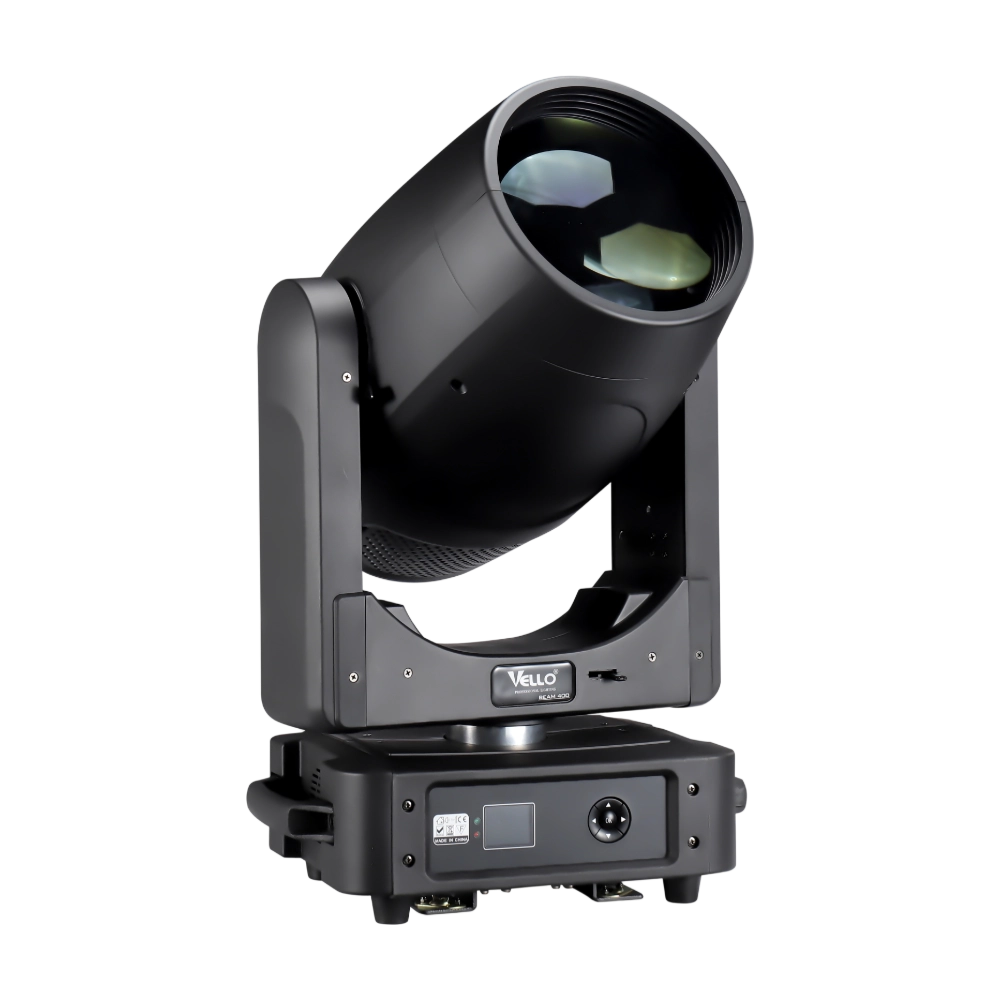
Moving Head Stage Light BEAM 400
BEAM400 is a 500W professional moving head beam powered by an OSRAM SIRIUS 371W discharge bulb, delivering a super-bright 1.8° sharp beam with impressive punch. It features 12 fixed gobos + open, a 14-color wheel, and a 16-facet circular rotating prism with multiple-facet effects, enabling dynamic aerial visuals. With 540° pan / 270° tilt, 16-bit movement resolution, and linear frost and focus, BEAM400 ensures precise and versatile performance. Comparable to traditional 750W moving heads, it combines high efficiency, smooth dimming, and reliable operation—ideal for concerts, tours, and large-scale stage productions.
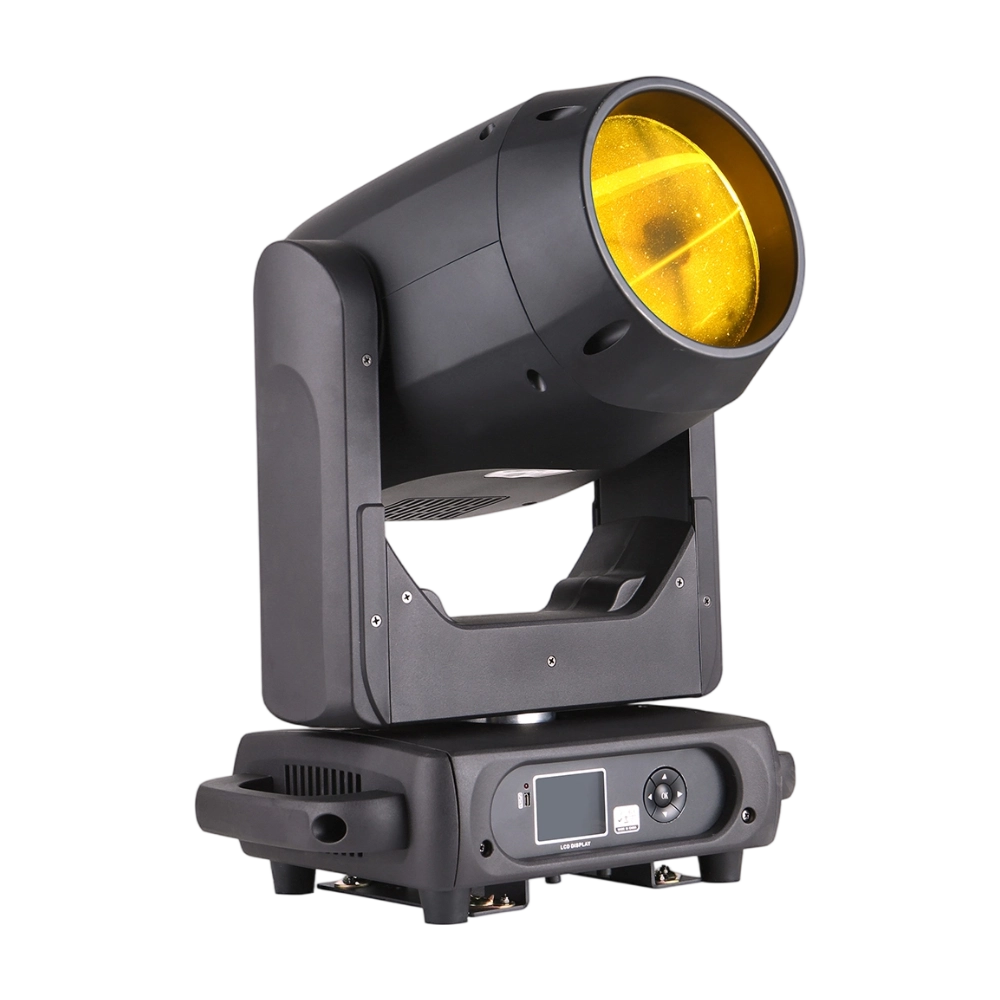
Moving Head Stage Light BEAM 360
BEAM360 is a 400W high-power moving head beam equipped with an OSRAM SIRIUS 311W discharge lamp, delivering a sharp 1.8° beam with super brightness. It features 14 colors + open, 12 fixed metal gobos + open, and dual prisms (8-facet circular + 8+16 multi-facet combination) for dynamic aerial effects. With 540° pan / 270° tilt, 16-bit movement, and linear frost and focus, BEAM360 ensures precision and versatility. Compact yet powerful, it rivals traditional 575W moving heads, making it ideal for concerts, clubs, and large-scale stage productions.
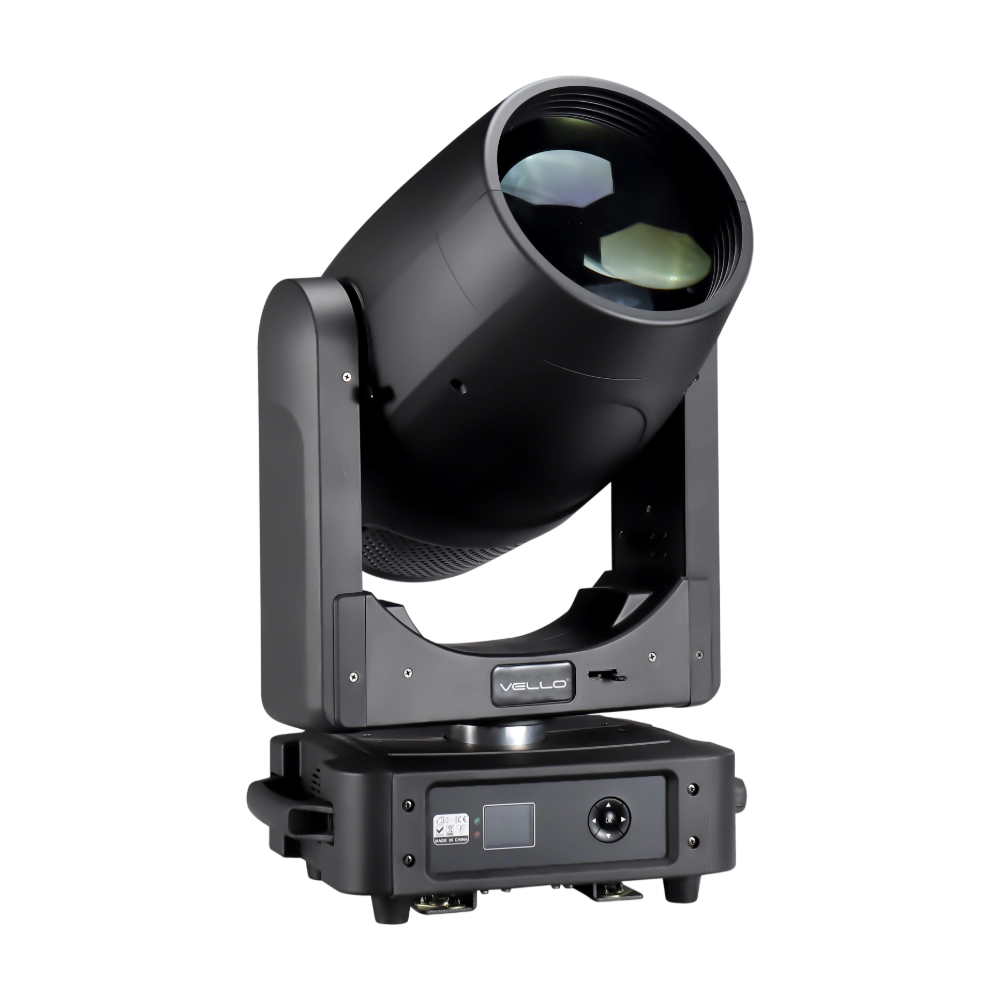
Moving Head Light BEAM 450
The BSW450 is a high-performance moving head fixture equipped with an original Osram 420W bulb, delivering exceptional brightness, precision, and versatility. Designed for professional stage applications, it seamlessly combines beam, spot, and wash functions in one compact unit, making it a powerful all-in-one lighting solution.
Over 20 Years of Innovation in Stage & Studio Lighting
© 2026 VELLO. All Rights Reserved. 粤ICP备20023734号
Join our socials
VELLO
Whatsapp: +8613902276704
Vello Lighting
VelloLights