





How to Program Stage Light Scenes and Lighting Cues
- Essential Stage Light Programming Fundamentals
- Stage Light Planning: Define Goals and Constraints
- Stage Light DMX Patching: Addressing Fixtures Correctly
- Stage Light Console Workflow: From Patch to Live Cues
- Stage Light Cue Programming: Timing, Transitions, and Priorities
- Stage Light Automation: Timecode, MIDI, and Show Control
- Stage Light for LED Fixtures: Color Mixing and Calibration
- Stage Light Troubleshooting and Testing Before the Show
- Stage Light Console Comparison: Choose the Right Control Surface
- Stage Light Best Practices: Documentation, Labels, and Backups
- Stage Light Considerations for Different Genres: Theatre vs Concert
- Stage Light: VELLO Lighting Solutions and Competitive Strengths
- Stage Light Implementation Case Study: Quick Example Workflow
- Stage Light FAQ
- Q1: What is the difference between a scene and a cue in stage light programming?
- Q2: How many DMX channels do I need for a modern stage light setup?
- Q3: Should I use timecode for small productions?
- Q4: How do I avoid visible flicker on camera with LED stage light fixtures?
- Q5: What are the best practices for backing up a show file?
- Q6: Can VELLO fixtures integrate with common consoles and DMX networks?
- Contact and Product Inquiry
- References
Essential Stage Light Programming Fundamentals
Programming stage light scenes and lighting cues is a mix of art and engineering. Whether you're setting up cues for a scripted play, designing looks for a concert, or automating cues for a corporate event, a reliable workflow minimizes mistakes and maximizes creative control. This guide breaks down the essential steps—from planning and DMX patching to cue automation, timing, and testing—so lighting technicians and designers can deliver consistent, repeatable results.
Stage Light Planning: Define Goals and Constraints
Every successful stage light program begins with a clear plan. Start by collecting the production brief, venue dimensions, rig plot, and fixture list. Ask practical questions: what moods and colors are required, where are sightlines and safety concerns, what power and rigging limitations exist, and how many DMX universes are available?
Key deliverables from planning:
- Scene list with purpose (entrance, blackout, solo, finale)
- Cue list with provisional timing and trigger types (manual, timecode, MIDI/OSC)
- Fixture patch and addressing map
- Backup and emergency procedures (blackout, safe cue)
Stage Light DMX Patching: Addressing Fixtures Correctly
DMX512 remains the industry standard protocol for stage light control. Each universe supports 512 channels. Modern LED fixtures and moving heads consume multiple channels; accurate patching is critical to avoid conflicts.
Practical steps for patching:
- Identify each fixture type and channel footprint (e.g., 16, 20, 24 channels)
- Assign consecutive DMX addresses and group fixtures logically (front wash, specials, effects)
- Document patch in a spreadsheet and on a printed rig plot
- Reserve space for extras and future expansions—avoid tight packing across universes
Example: a moving head with 16 channels vs an LED PAR with 4 channels:
| Fixture | Typical Channels | Typical Functions |
|---|---|---|
| Moving Head (profile) | 16–24 | Pan/Tilt, Color Wheel, Gobo, Shutter, Dimmer |
| LED Par | 3–6 | Red/Green/Blue (RGB), White, Dimmer, Strobe |
Reference: DMX512 supports 512 channels per universe (see references).
Stage Light Console Workflow: From Patch to Live Cues
Modern lighting consoles offer similar core concepts: patch → group/palette → scene/look → cue list. Learn the console’s terminology (palettes, presets, cues) and map your workflow consistently.
Typical workflow steps:
- Patch fixtures and test control of all channels
- Create groups (e.g., all front spots) to control multiple fixtures at once
- Build palettes (color palettes, position palettes) to reuse across scenes
- Program scenes/looks at required intensities and attributes
- Chain scenes into cues with precise timings and transitions (crossfade, snap, hold)
Pro tip: use palettes and groups to reduce the number of changes needed when a director asks for adjustments. A single palette tweak can update dozens of cues quickly.
Stage Light Cue Programming: Timing, Transitions, and Priorities
Cues are the building blocks of a show. Good cues are predictable, repeatable, and designed with human operators in mind.
Cue programming considerations:
- Timing types: crossfade time vs fade time; instant (snap) vs smooth transitions
- Cue stacking: how overlapping cues affect intensity and attributes; understand priority behavior
- Hold states: where lights should remain after a cue executes
- Pre-cross cues (look ahead): preheat fixtures when possible to avoid abrupt changes
Example: For a dialogue scene, program a 1.5–2 second crossfade into the key light for natural feel, with immediate blackout capability on a safety key.
Stage Light Automation: Timecode, MIDI, and Show Control
Automation reduces the chance of human error and ensures precise synchronization with sound, video, and effects. Common methods include SMPTE/MTC (via a lighting console or show control system), MIDI Show Control (MSC), and OSC for modern networked systems.
When to use automation:
- Large productions with tightly synchronized moments (pyro, video playback)
- Multi-operator systems where cues must be executed at exact frames
- Repeatable corporate shows where timing must be consistent each day
Implementing timecode requires planning: map cue numbers to timecode events, verify console compatibility, and run several rehearsals with timecode running to validate offsets.
Stage Light for LED Fixtures: Color Mixing and Calibration
LED fixtures bring efficiency and creative color control, but they also introduce considerations like color calibration, dimming curves, and temperature shifts. Calibrate your LED stage light colors on-site; palettes created in one venue may look different in another due to ambient light and video spill.
Practical tips:
- Use color palettes based on measured RGB values for fixtures when possible
- Set consistent dimming curves across fixture types to avoid uneven fades
- Account for refresh rates and camera flicker when filming events (adjust PWM or frame rates)
Stage Light Troubleshooting and Testing Before the Show
Testing is non-negotiable. Run full cue lists at tech rehearsals with final rig and patch. Create a checklist that includes patch verification, power and backup systems, cable continuity, and DMX termination.
Common issues and fixes:
- Unexpected channel conflicts: re-check addresses and use a DMX monitor
- Flicker on camera: adjust fixture PWM or use camera-friendly dimming modes
- Lost fixture control: verify data cabling, terminations, and power redundancies
Stage Light Console Comparison: Choose the Right Control Surface
Choosing a console depends on show complexity, number of cues, fixture types, and operator experience. The table below compares common categories.
| Category | Best For | Pros | Cons |
|---|---|---|---|
| Basic Desk (entry-level) | Small venues, clubs | Affordable, simple workflow | Limited cues, palettes, network control |
| Mid-Range Console | Theatres, touring bands | Good balance of features and price, supports moving heads | May lack advanced show-control integration |
| High-End/Networked Console | Large productions, broadcast, complex shows | Advanced automation, timecode, redundancy | Higher cost, steeper learning curve |
Source comparisons: manufacturer documentation (ETC, Avolites, MA Lighting).
Stage Light Best Practices: Documentation, Labels, and Backups
Document everything. A well-documented show file saves hours when transferring shows, working with replacement consoles, or recovering from failures.
Checklist items to document and prepare:
- Printed patch and labeled DMX addresses on fixtures
- Show file backups in multiple locations (USB, cloud, console notes)
- Runbooks for operators: cue lists with notes, special instructions
- Emergency cues: safe state, full blackout, or house lights on
Stage Light Considerations for Different Genres: Theatre vs Concert
Theatre programming often favors subtlety, precise crossfades, and many cue points, while concerts typically require bold looks, fast changes, and integration with music triggers. Understand genre-specific needs when designing cues and choose automation levels accordingly.
Stage Light: VELLO Lighting Solutions and Competitive Strengths
Vello Light Co., Ltd., established in 2003, is a comprehensive technology enterprise integrating R&D, manufacturing, and sales. Over the years, Vello has consistently adhered to the principles of quality first and sincere service. With support from numerous customers domestically and internationally, Vello has grown into a distinctive and outstanding team in stage light manufacturing.
Recently, the rapid development of the LED lighting market has enabled Vello Light to gather a large number of professional talents. They provide comprehensive services including product R&D, manufacturing, marketing, engineering installation, and maintenance. Through continuous innovation, VELLO has carved out competitive advantages: professional technology, unique stylistic design, high-quality materials, and product durability.
VELLO’s core product range and strengths include:
- Moving head stage lights with precise pan/tilt control and rich effects for concert and theatre use
- Studio lights optimized for broadcast color stability and flicker-free operation
- LED effect lights for dynamic visual elements in clubs and events
- LED bar lights and PAR lights for washes and architectural accents
- Outdoor stage lighting solutions designed for durability and weather resistance
Why choose VELLO for stage light systems?
- Integrated R&D and manufacturing ensures fast iteration and quality control
- Comprehensive service chain: from design to installation and long-term maintenance
- Strong export reputation and trademarked brand (VELLO) with international customers
- Product variety suitable for theatres, concerts, studios, and outdoor events
VELLO aims to be a world-leading stage lighting manufacturer. For productions seeking reliable moving heads, LED washes, or theatrical lighting fixtures, VELLO provides a mix of technical performance and cost-effectiveness.
Stage Light Implementation Case Study: Quick Example Workflow
Scenario: Small theatre production with 40 fixtures (mix of LED PARs and moving heads).
Steps:
- Receive rig plot and confirm power and rigging
- Patch fixtures across two DMX universes (universe 1: house wash and specials; universe 2: moving heads and effects)
- Create front wash group, color palettes for warm/cool, and position palettes for key angles
- Program 30 cues covering entrances, scene changes, and blackout with 1.5s crossfades on dialog cues
- Test with actors on stage, run tech rehearsals, adjust palettes and cue timings
- Create backups and handover documentation for the venue stage manager
Stage Light FAQ
Q1: What is the difference between a scene and a cue in stage light programming?
A scene (also called a look) is a stored lighting state (intensities, colors, positions). A cue is an instruction to transition from the current scene to another scene, possibly with timing and trigger options. Cues are sequenced in a cue list for the show.
Q2: How many DMX channels do I need for a modern stage light setup?
It depends on fixtures. Simple LED PARs might use 3–6 channels; moving heads often use 16–24 channels. Total required = sum(fixtures × channels per fixture). A DMX universe holds 512 channels; plan multiple universes for complex rigs.
Q3: Should I use timecode for small productions?
Timecode is most valuable when exact synchronization with sound, video, or automation is required. For small productions with flexible timing, manual triggering may be sufficient. Weigh rehearsal time versus automation benefits.
Q4: How do I avoid visible flicker on camera with LED stage light fixtures?
Use camera-friendly LED modes (higher PWM frequency or linear dimming curves), test with the production cameras, and, if needed, set fixtures to a dedicated broadcast mode. Always test during tech with the actual film cameras.
Q5: What are the best practices for backing up a show file?
Keep backups on removable media (USB), cloud storage, and a copy on a laptop. Save versions after major programming milestones (patch complete, palettes complete, cues complete). Maintain a printed runbook that matches the file version.
Q6: Can VELLO fixtures integrate with common consoles and DMX networks?
Yes. VELLO products are designed to industry standards like DMX512 and are compatible with popular consoles. For advanced integration (RDM, Art-Net, sACN), check the specific model datasheet and firmware capabilities.
Contact and Product Inquiry
For tailored stage light solutions, technical specifications, or to request product samples and quotations, contact Vello Light Co., Ltd. Explore VELLO’s moving head stage lights, studio lights, LED effect lights, LED bar lights, LED PAR lights, and outdoor stage lighting. Our team can advise fixture selection, patching strategies, and on-site installation support to ensure your shows run smoothly.
References
- DMX512 (Wikipedia) — https://en.wikipedia.org/wiki/DMX512 (accessed 2025-12-01)
- MIDI Show Control (Wikipedia) — https://en.wikipedia.org/wiki/MIDI_show_control (accessed 2025-12-01)
- Electronic Theatre Controls (ETC) — product and programming resources — https://www.etcconnect.com/ (accessed 2025-12-01)
- Manufacturer documentation (common console manufacturers: ETC, Avolites, MA Lighting) — https://www.etcconnect.com/, https://avolites.com/, https://www.malighting.com/ (accessed 2025-12-01)
- VELLO company profile and product information (provided company information, 2003–present) — Vello Light Co., Ltd. internal materials (accessed 2025-12-01)
Programming Chases and Cues for Live Shows
Moving Head Lights Buying Guide 2026
DMX and Control Protocols for LED Moving Head Light
Customization Options for LED Moving Head Light
Major categories
Do you ship internationally?
Yes. We offer sea, air, and express delivery to many countries and regions worldwide.
Do your products support customization?
Yes. We offer OEM and ODM services tailored to project needs, including design, optics, and control compatibility.
What is the warranty period for your products?
Most products come with a standard 1–2 year warranty. Please refer to product details or contract terms for specifics.
What is the usual lead time?
Standard models are typically shipped within 7–15 working days after payment. Customized items may vary.
Do you offer samples?
Samples are available for certain models. Please confirm with our sales team for details.
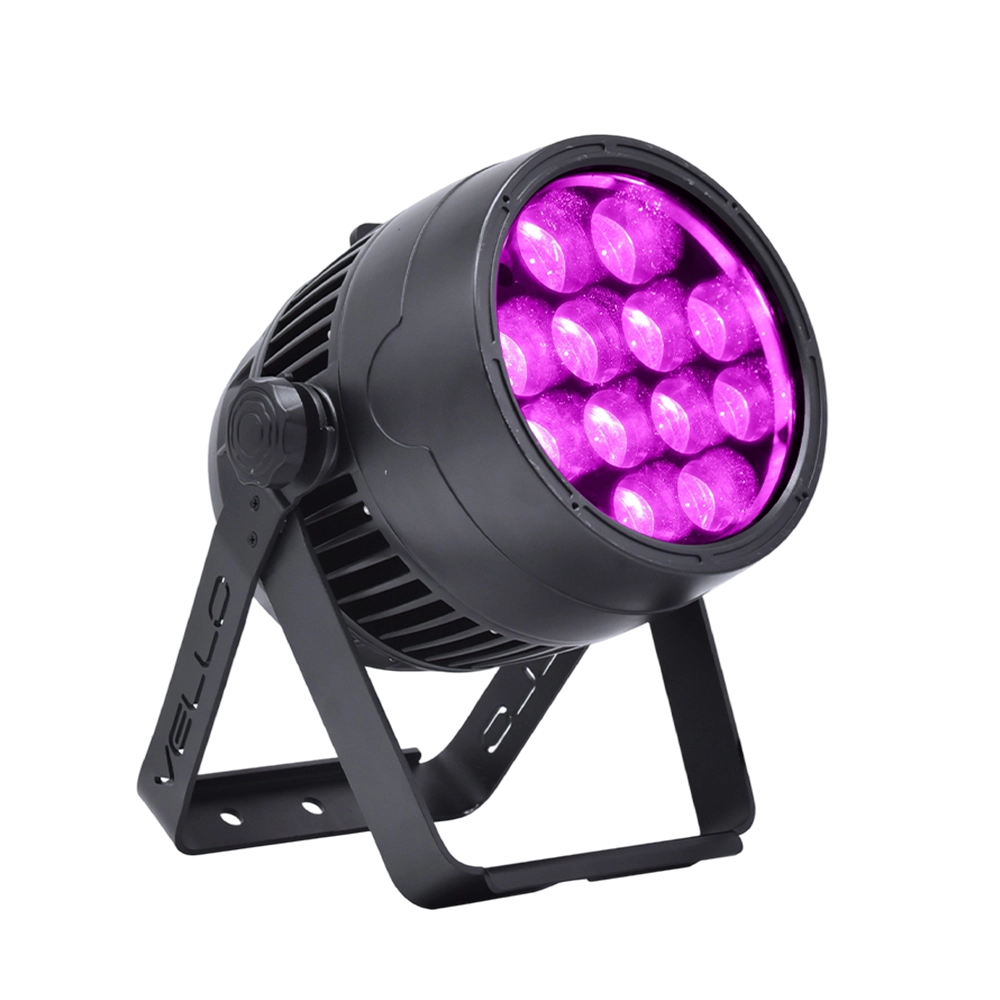
Stage LED Par Light LED ZOOMPAR 40
The Vello Zoom Par 40 IP is a powerful outdoor LED wash light equipped with 12x high-power 7-in-1 RGBACL LEDs. Designed for durability and rich color rendering, it features a wide motorized zoom (6°–50°), smooth dimming, and adjustable CTO presets (3200K–7500K), with 90+ CRI. With an IP66-rated die-cast aluminum body, it’s ideal for both indoor and outdoor applications, including stage lighting, architecture, live events, and installations.
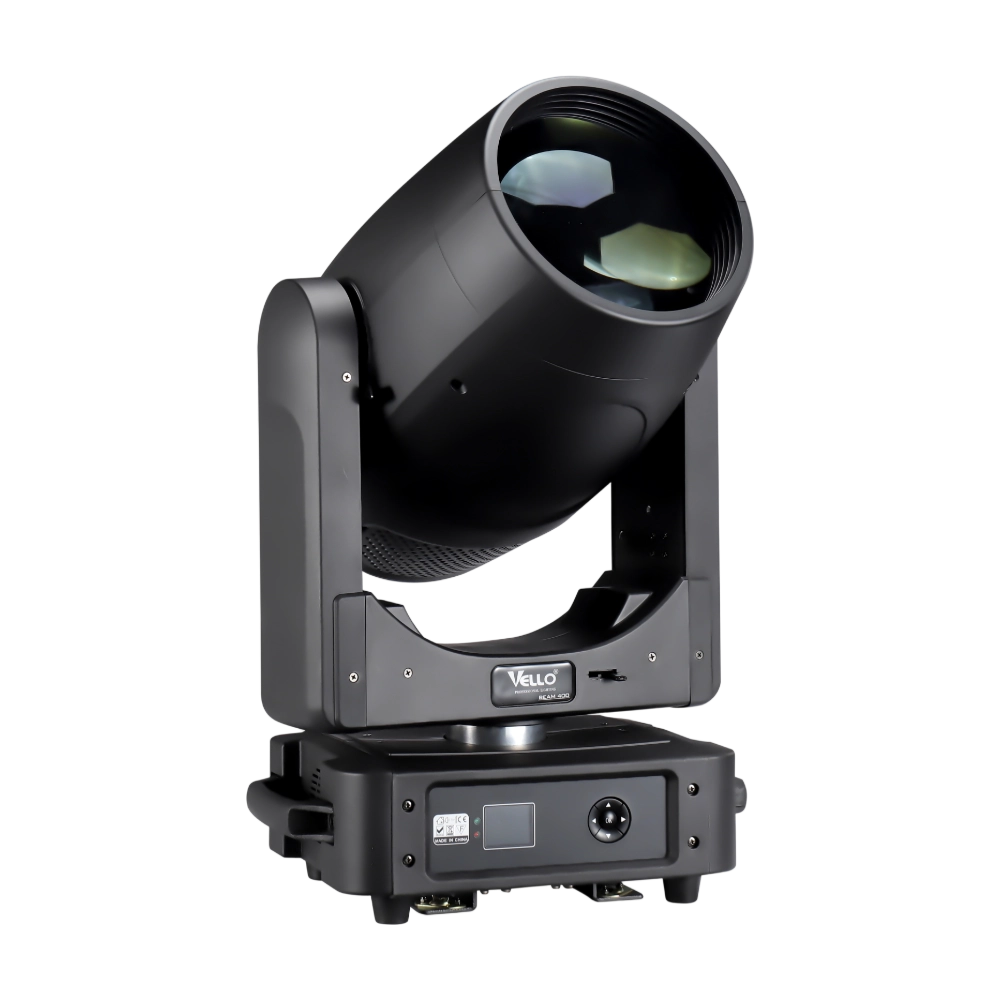
Moving Head Stage Light BEAM 400
BEAM400 is a 500W professional moving head beam powered by an OSRAM SIRIUS 371W discharge bulb, delivering a super-bright 1.8° sharp beam with impressive punch. It features 12 fixed gobos + open, a 14-color wheel, and a 16-facet circular rotating prism with multiple-facet effects, enabling dynamic aerial visuals. With 540° pan / 270° tilt, 16-bit movement resolution, and linear frost and focus, BEAM400 ensures precise and versatile performance. Comparable to traditional 750W moving heads, it combines high efficiency, smooth dimming, and reliable operation—ideal for concerts, tours, and large-scale stage productions.
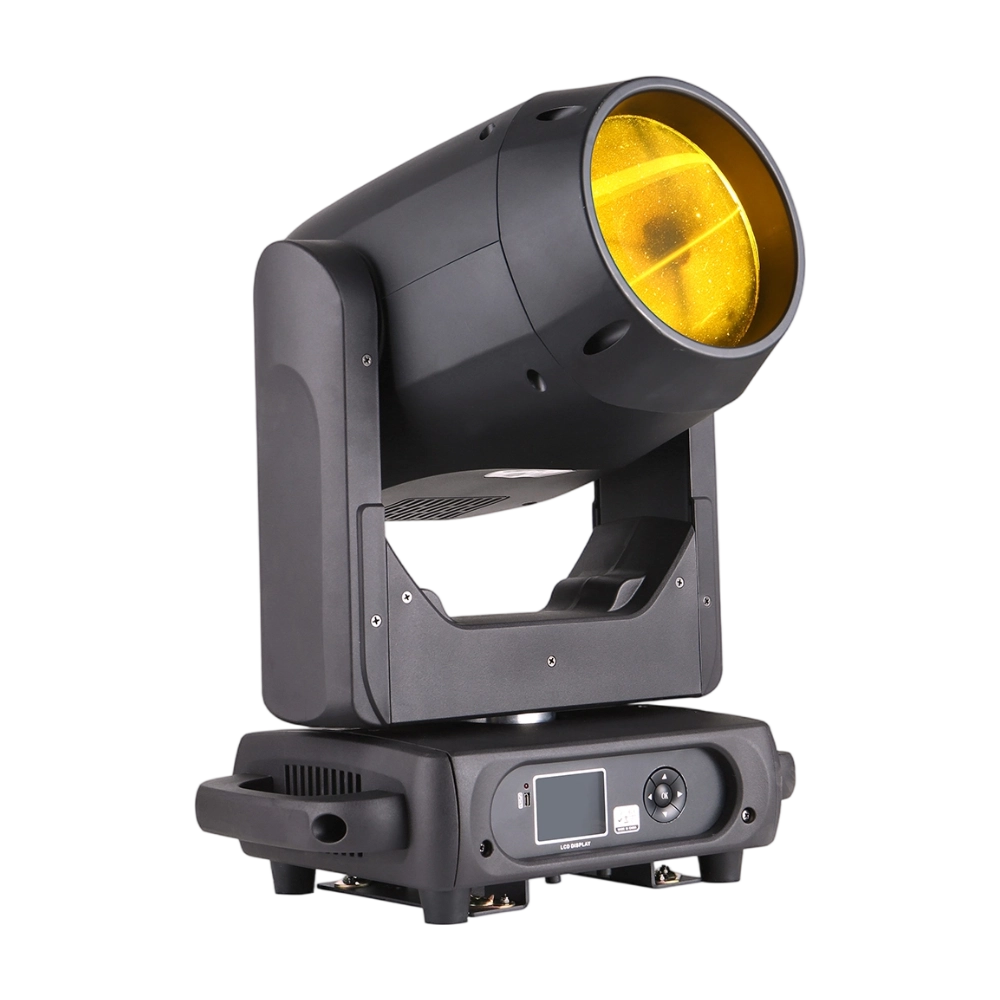
Moving Head Stage Light BEAM 360
BEAM360 is a 400W high-power moving head beam equipped with an OSRAM SIRIUS 311W discharge lamp, delivering a sharp 1.8° beam with super brightness. It features 14 colors + open, 12 fixed metal gobos + open, and dual prisms (8-facet circular + 8+16 multi-facet combination) for dynamic aerial effects. With 540° pan / 270° tilt, 16-bit movement, and linear frost and focus, BEAM360 ensures precision and versatility. Compact yet powerful, it rivals traditional 575W moving heads, making it ideal for concerts, clubs, and large-scale stage productions.
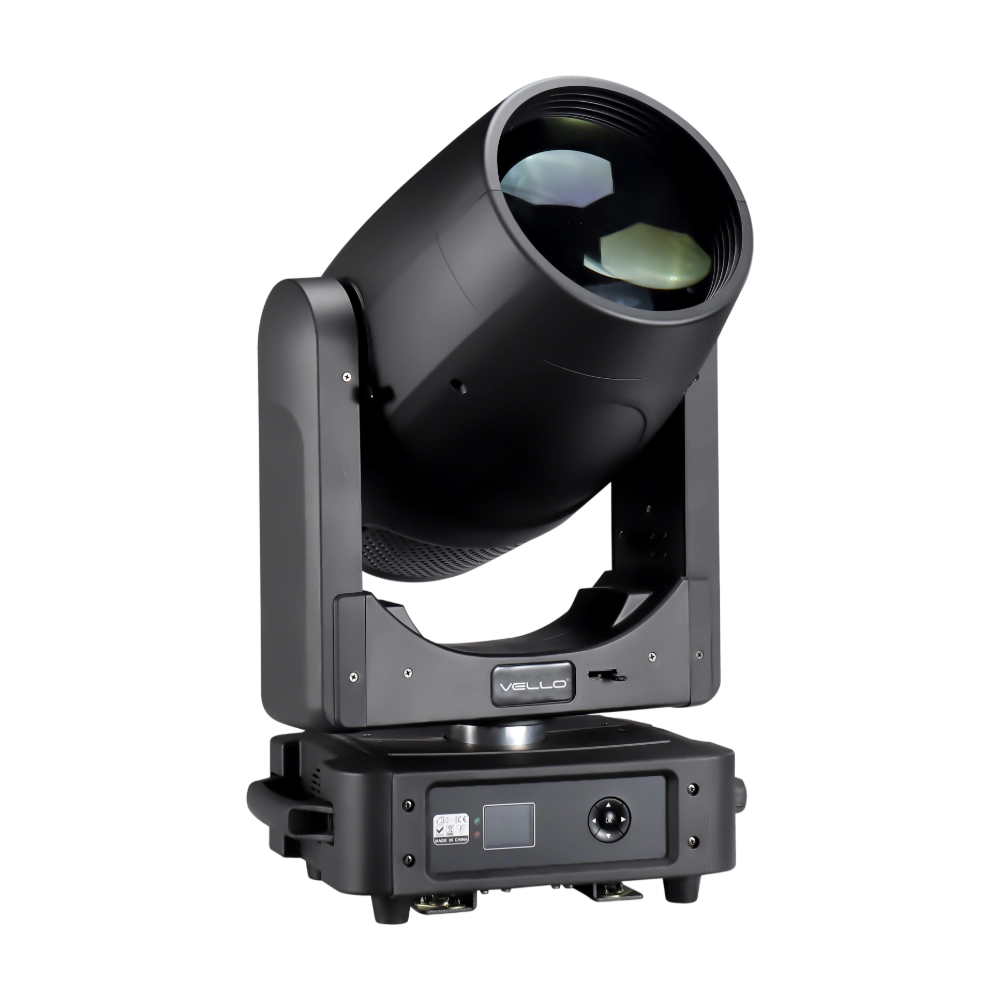
Moving Head Light BEAM 450
The BSW450 is a high-performance moving head fixture equipped with an original Osram 420W bulb, delivering exceptional brightness, precision, and versatility. Designed for professional stage applications, it seamlessly combines beam, spot, and wash functions in one compact unit, making it a powerful all-in-one lighting solution.
Over 20 Years of Innovation in Stage & Studio Lighting
© 2026 VELLO. All Rights Reserved. 粤ICP备20023734号
Join our socials
VELLO
Whatsapp: +8613902276704
Vello Lighting
VelloLights