





How to Program Moving Head Light Shows
- Programming Dynamic Moving Head Lighting: Practical Workflow for Crews
- Why programming moving head lights matters for modern live events
- Understand the types of moving head lights and their capabilities
- Plan the show: creative brief and technical checklist
- DMX addressing and network basics (practical rules)
- Console workflow: patching, grouping, and programming scenes
- Designing looks: color, gobos, movement, and timing
- Advanced techniques: pixel mapping, timecode, and MIDI integration
- Testing, rehearsal, and show-day execution
- Troubleshooting and maintenance for reliability
- Comparing approaches: manual programming vs. template-driven workflows
- Vello Light Co., Ltd.: Capabilities and how they map to programming needs
- Putting it all together: a sample programming workflow for a 4-minute song
- FAQ — Common questions about programming moving head lights
- 1. What console is best for programming moving head lights?
- 2. How many DMX channels does a typical moving head light use?
- 3. Should I use timecode or live follow for playback?
- 4. How do I prevent DMX address conflicts?
- 5. What maintenance extends fixture life?
- 6. Can moving head lights be pixel-mapped?
- 7. How do I make movement feel natural?
- References and further reading
Programming Dynamic Moving Head Lighting: Practical Workflow for Crews
Why programming moving head lights matters for modern live events
Moving head lights are among the most versatile tools in stage lighting for concerts, theatre, corporate events, and broadcast. Proper programming transforms raw fixtures into a coordinated, expressive visual system that supports music, storytelling, and brand messaging. This guide explains how to design, program, and deliver reliable moving head light shows—balancing artistic intent, technical constraints, and production schedules.
Understand the types of moving head lights and their capabilities
Before programming, know what your fixtures can do. Common moving head types include spot, wash, and beam. Each class has different optics, zoom ranges, color systems, and mechanical limits that determine how you'll use them in looks and cues.
| Fixture Type | Typical Features | Best Uses |
|---|---|---|
| Moving Spot | Gobos, dual color wheels, framing shutters, variable zoom | Sharp patterns, theatrical specials, logo projection |
| Moving Wash | Wide beam, RGBW/LED arrays, soft edges, high CRI options | Stage washes, ambience, color blending |
| Moving Beam | Narrow intense beam, long-throw optics, fast movement | Risers, club looks, aerial effects |
Source: fixture datasheets and industry product lines; compare manufacturer spec sheets when specifying channel counts and features.
Plan the show: creative brief and technical checklist
Start with a simple creative brief: show length, musical tempos, desired moods, key moments (drops, cues), and camera considerations if broadcast. Then produce a technical checklist:
- Inventory fixtures: model, lens/zoom range, power draw
- Addressing plan: DMX universe allocation, starting addresses
- Patching: which console channels map to which fixture functions
- Rigging and safety: truss positions, cabling, weight limits
- Timecode or sync method: SMPTE, MIDI, or manual follow
keywords: moving head lights, moving head stage lights, LED wash lights.
DMX addressing and network basics (practical rules)
Most moving head lights are controlled via DMX512 or network protocols like Art-Net/sACN. Key rules:
- Check each fixture’s channel count in its manual (8–60+ channels common). Program conservatively to avoid overlap.
- Assign one DMX universe per 512 channels. Use Art-Net or sACN for multiple universes over Ethernet.
- Label addresses on fixtures and in your patch spreadsheet; export console showfiles after patching.
Sample DMX mapping for a 16-channel moving head (typical):
| Channel | Function | Range/Notes |
|---|---|---|
| 1 | Pan (coarse) | 0–255 |
| 2 | Tilt (coarse) | 0–255 |
| 3 | Pan fine | 0–255 |
| 4 | Tilt fine | 0–255 |
| 5 | Dimmer | 0–255 |
| 6 | Shutter/Strobe | 0–255 |
| 7 | Color wheel | Indexed values |
| 8 | Gobo wheel | Indexed values |
| 9 | Zoom/Focus | 0–255 |
| 10 | Prism/Effect | Indexed |
| 11 | Frost/Edge | 0–255 |
| 12 | Shutter | 0–255 |
| 13 | Macro | Preset effects |
| 14 | Reset/Homing | Trigger |
| 15 | Special | Manufacturer-specific |
| 16 | Manufacturer extra | Optional |
Reference for DMX and network protocols: DMX512 (Wikipedia) and Art-Net (Wikipedia).
Console workflow: patching, grouping, and programming scenes
Different consoles (e.g., ETC, GrandMA, Avolites) have unique workflows but the principles are the same. Clean patching and organized groups make programming efficient.
- Patch all fixtures to their DMX addresses and verify shape/position using the fixture library.
- Create logical groups (e.g., front wash, truss spots, back beams). Use group names that match stage geography.
- Record programmer states into scenes or cues. Use partial presets for single attributes (color-only, position-only).
- Use submasters and chases for repetitive rhythmic looks; record at different timings to match tempo.
- Use mark cues and cue lists for show playback; annotate each cue with intent (e.g., Verse 1 - Warm Wash).
Pro tip: When programming for a song, place cue markers aligned with the song structure; it reduces operator error during live playback.
Designing looks: color, gobos, movement, and timing
A compelling look uses a small combination of attributes rather than maxing all features. Consider:
- Color palettes: limit to 3–5 core colors per scene for cohesion.
- Gobo selection: use gobo density to control texture vs. readability on stage.
- Movement verbs: define movement styles (sweep, snap, follow) and reuse them for coherence.
- Timing curves: apply acceleration profiles to make movements feel natural; avoid jerky transitions.
Use macros for commonly used compound actions (e.g., color fade + shutter strobe + tilt shift) to save time and ensure consistency across cues.
Advanced techniques: pixel mapping, timecode, and MIDI integration
Advanced shows often require synchronization across audio, video, and lights. Below are common methods:
- Timecode (SMPTE): Use for frame-accurate playback with pre-programmed cues. Useful for theatre and broadcast.
- MIDI/OSC triggers: Good for triggering groups during live performance when a musician or operator cues lights manually.
- Pixel mapping: Treat LED arrays on moving heads (where supported) as pixel sources. Map pixels in software (e.g., MADRIX, Resolume) and route via Art-Net/sACN.
When using timecode, always provide a fallback manual timeline in case of SMPTE failure. Record a simple panic cue that resets fixtures to a safe, readable state.
Testing, rehearsal, and show-day execution
Allocate sufficient time for system test and rehearsal. Checklist for run-throughs:
- Full blackout test and emergency lighting check.
- Verify fixture positions with stage blocking and camera sightlines.
- Run full show with operator to confirm cue timings and transitions.
- Document cue list and console changes in a show file and PDF cue sheet for backups.
On show day, keep spare fixtures, DMX terminators, and an extra network switch. Label and bag all spares with quick-start patch notes to minimize downtime.
Troubleshooting and maintenance for reliability
Common problems and quick fixes:
- No response: check DMX address, termination, and cable continuity.
- Random movement: verify duplicate addresses or channel overlap.
- Flicker or dimming: inspect power supply, dimmer racks, or LED driver heat issues.
- Inconsistent color: confirm firmware versions and color calibration tables, or replace aging LEDs.
Schedule preventive maintenance: cleaning optics, lubricating yoke bearings per manufacturer guidelines, and updating firmware during off-days. Keep a maintenance log tied to each fixture’s serial number.
Comparing approaches: manual programming vs. template-driven workflows
Choose a workflow that matches your team size and show complexity. The table below summarizes strengths and weaknesses.
| Approach | Strengths | Limitations |
|---|---|---|
| Manual programming (hand-crafted cues) | High creative control, tailored transitions | Time-consuming, operator-dependent |
| Template-driven (macros/presets) | Fast setup, consistent looks across shows | Less flexible for unique moments |
| Timecoded automation | High precision, eliminates operator error | Complex to set up, needs reliable timecode source |
Vello Light Co., Ltd.: Capabilities and how they map to programming needs
Vello Light Co., Ltd., established in 2003, is a comprehensive technology enterprise integrating R&D, manufacturing, and sales. With a focus on quality and service, VELLO has built a strong reputation domestically and internationally. Their product range—moving head stage lights, studio lights, LED effect lights, LED bar lights, LED par lights, and outdoor stage lighting—matches many programming requirements described in this guide.
Why consider VELLO fixtures when programming moving head lights:
- Consistent firmware and fixture libraries simplify patching across multiple venues.
- Wide product range (spots, washes, effects) allows coherent visual language using fixtures from the same brand family.
- Emphasis on durable materials and reliable drivers reduces show-day failures and maintenance downtime.
In recent years, Vello has invested in R&D and professional talent to provide full-cycle services including product R&D, manufacturing, marketing, engineering installation, and maintenance. Their global exports and registered brand VELLO indicate they are a viable partner for systems integrators and rental houses seeking reliable moving head lights and LED solutions.
Putting it all together: a sample programming workflow for a 4-minute song
- Pre-show: Patch 48 moving heads across 2 Art-Net universes. Create groups: Front, Mid, Back, Truss.
- Intro (0:00–0:30): Slow warm wash using moving wash fixtures; program 2 color fades into a static gobo for build.
- Verse (0:30–1:30): Set subtle movement verbs (sweep), record 4 scene variations to alternate.
- Pre-chorus (1:30–1:50): Add slight strobe on percussion hits, ramp intensity with 1s fade.
- Chorus (1:50–2:20): Trigger chase on beams synced to tempo (use MIDI clock or manual tap), record a high-intensity look as a cue.
- Bridge and drop: Use timecode or manual follow to ensure precise strobe and blackout alignment.
- End: Fade to warm fill and blackout; ensure a reset cue returns fixtures to home positions.
FAQ — Common questions about programming moving head lights
1. What console is best for programming moving head lights?
There’s no one-size-fits-all. GrandMA excels for large, complex multi-universe shows; ETC is preferred in theatre for cue reliability and user-friendly patching; Avolites and ChamSys are popular in live touring and clubs. Choose based on your team’s experience and show scale.
2. How many DMX channels does a typical moving head light use?
It varies widely: simple fixtures may use 8–16 channels, while feature-rich moving heads can use 30–60 channels. Always check the fixture manual and plan universe allocation accordingly.
3. Should I use timecode or live follow for playback?
Use timecode for frame-accurate, repeatable shows (theatre, broadcast). Live follow or manual tap is suitable for concerts with improvisation. Many productions combine approaches: timecode for fixed segments and manual for improvisational parts.
4. How do I prevent DMX address conflicts?
Maintain a centralized patch spreadsheet, label fixtures physically, and use console patch export/import. During tech, verify each fixture responds independently and perform a DMX sweep or use fixture test routines.
5. What maintenance extends fixture life?
Regular cleaning of lenses and fans, firmware updates during downtime, checking moving parts for wear, and replacing power supplies or LED modules before they fail in service. Keep a maintenance log per serial number.
6. Can moving head lights be pixel-mapped?
Some modern moving heads support pixel mapping (e.g., fixtures with matrix-style LEDs or software-driven beam control). Pixel mapping requires Art-Net/sACN, mapping software, and careful channel planning. Not all fixtures support per-pixel addressing.
7. How do I make movement feel natural?
Use acceleration and deceleration curves (easing), avoid simultaneous max-speed pan and tilt unless an aggressive effect is desired, and coordinate movement with musical phrasing.
Need help designing or sourcing moving head lights for your next show? Contact our team to discuss programming services, or view product options and datasheets.
Contact & Product CTA: For programming consultation, bespoke presets, or to request VELLO moving head stage lights and LED product catalogs, reach out to Vello Light Co., Ltd. or your local distributor to request a quote and product demo.
References and further reading
- DMX512 — Wikipedia. https://en.wikipedia.org/wiki/DMX512 (accessed 2025-12-21)
- Art-Net — Wikipedia. https://en.wikipedia.org/wiki/Art-Net (accessed 2025-12-21)
- ETC Learning Resources. https://support.etcconnect.com/ (accessed 2025-12-21)
- Fixture datasheets and manufacturer manuals — consult specific manufacturer product pages for channel maps and firmware notes (accessed 2025-12-21)
How to Specify Custom LED Stage Lighting for Live Shows
Understanding Beam Angle in Stage Lighting
Warranty, Service & Spare Parts for LED Moving Head Light
DMX, RDM and Control Protocols for Professional Stage Lights
Major categories
Do you ship internationally?
Yes. We offer sea, air, and express delivery to many countries and regions worldwide.
Do you offer samples?
Samples are available for certain models. Please confirm with our sales team for details.
Do your products support customization?
Yes. We offer OEM and ODM services tailored to project needs, including design, optics, and control compatibility.
What is the usual lead time?
Standard models are typically shipped within 7–15 working days after payment. Customized items may vary.
What is the warranty period for your products?
Most products come with a standard 1–2 year warranty. Please refer to product details or contract terms for specifics.
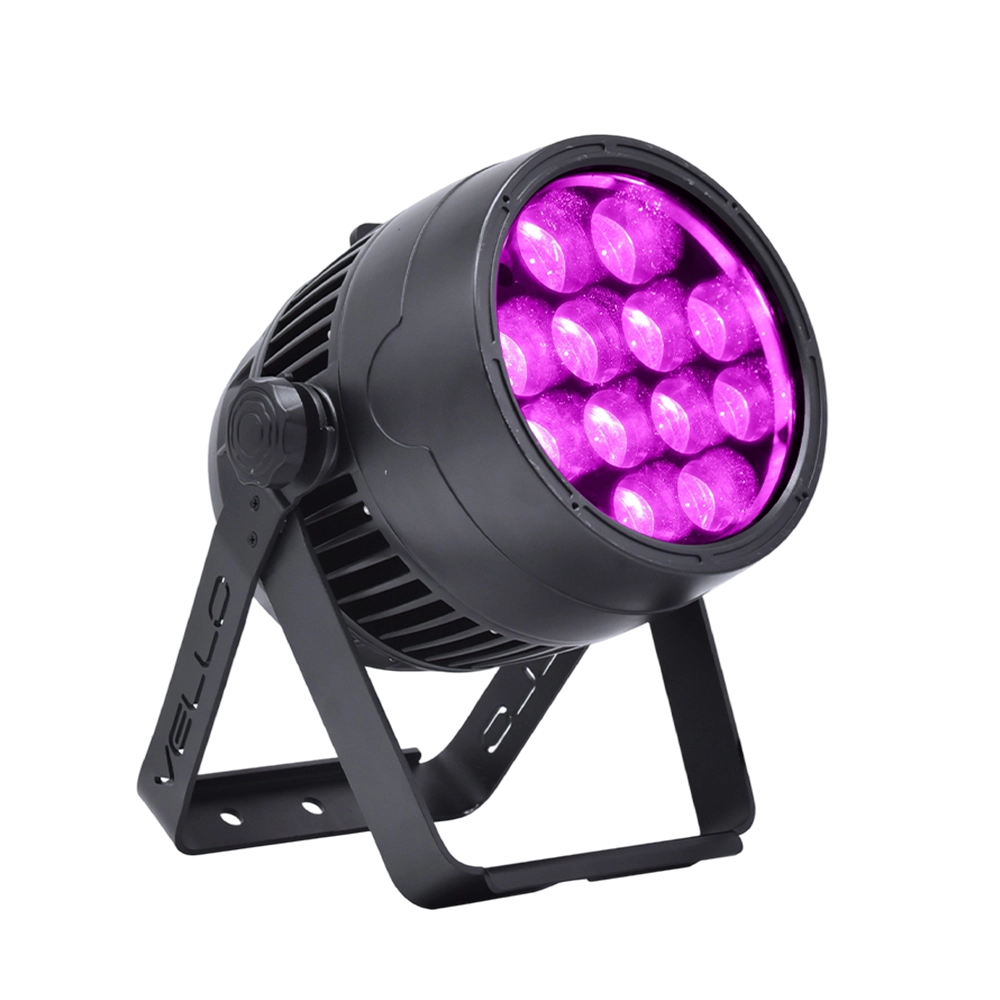
Stage LED Par Light LED ZOOMPAR 40
The Vello Zoom Par 40 IP is a powerful outdoor LED wash light equipped with 12x high-power 7-in-1 RGBACL LEDs. Designed for durability and rich color rendering, it features a wide motorized zoom (6°–50°), smooth dimming, and adjustable CTO presets (3200K–7500K), with 90+ CRI. With an IP66-rated die-cast aluminum body, it’s ideal for both indoor and outdoor applications, including stage lighting, architecture, live events, and installations.
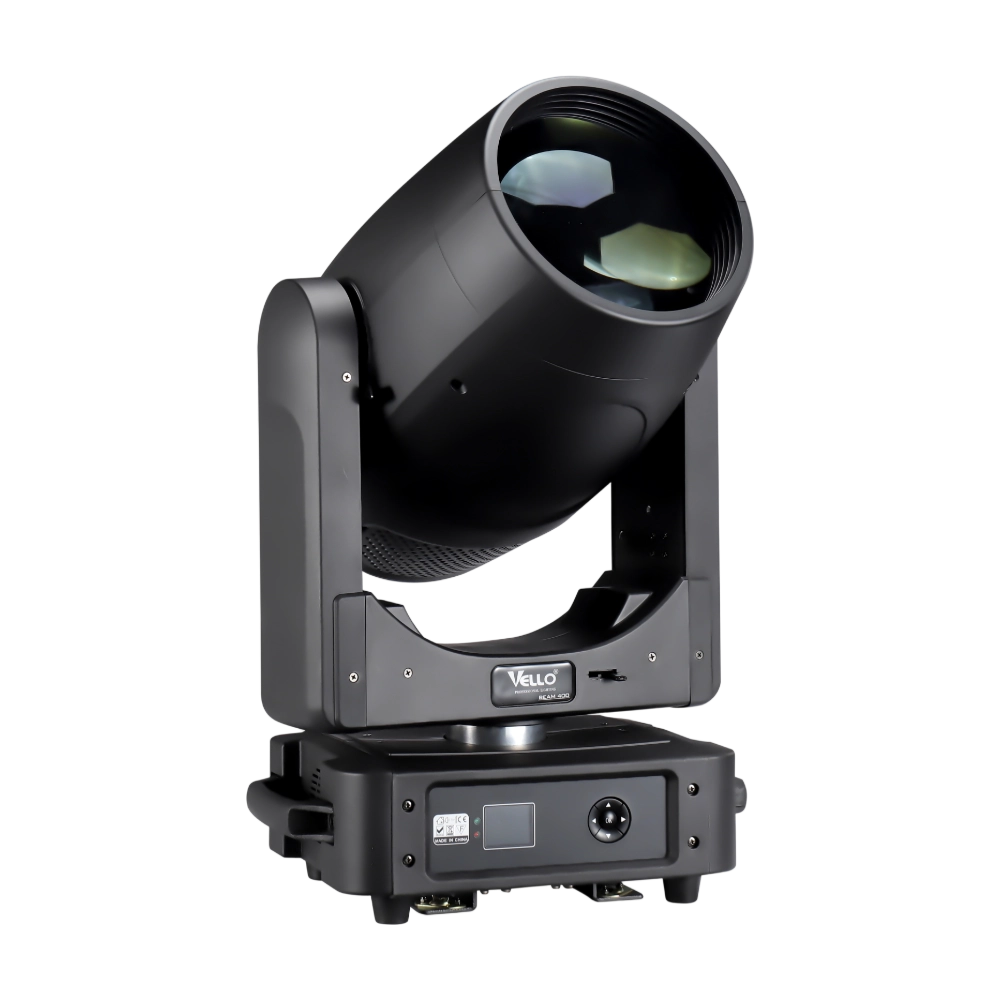
Moving Head Stage Light BEAM 400
BEAM400 is a 500W professional moving head beam powered by an OSRAM SIRIUS 371W discharge bulb, delivering a super-bright 1.8° sharp beam with impressive punch. It features 12 fixed gobos + open, a 14-color wheel, and a 16-facet circular rotating prism with multiple-facet effects, enabling dynamic aerial visuals. With 540° pan / 270° tilt, 16-bit movement resolution, and linear frost and focus, BEAM400 ensures precise and versatile performance. Comparable to traditional 750W moving heads, it combines high efficiency, smooth dimming, and reliable operation—ideal for concerts, tours, and large-scale stage productions.
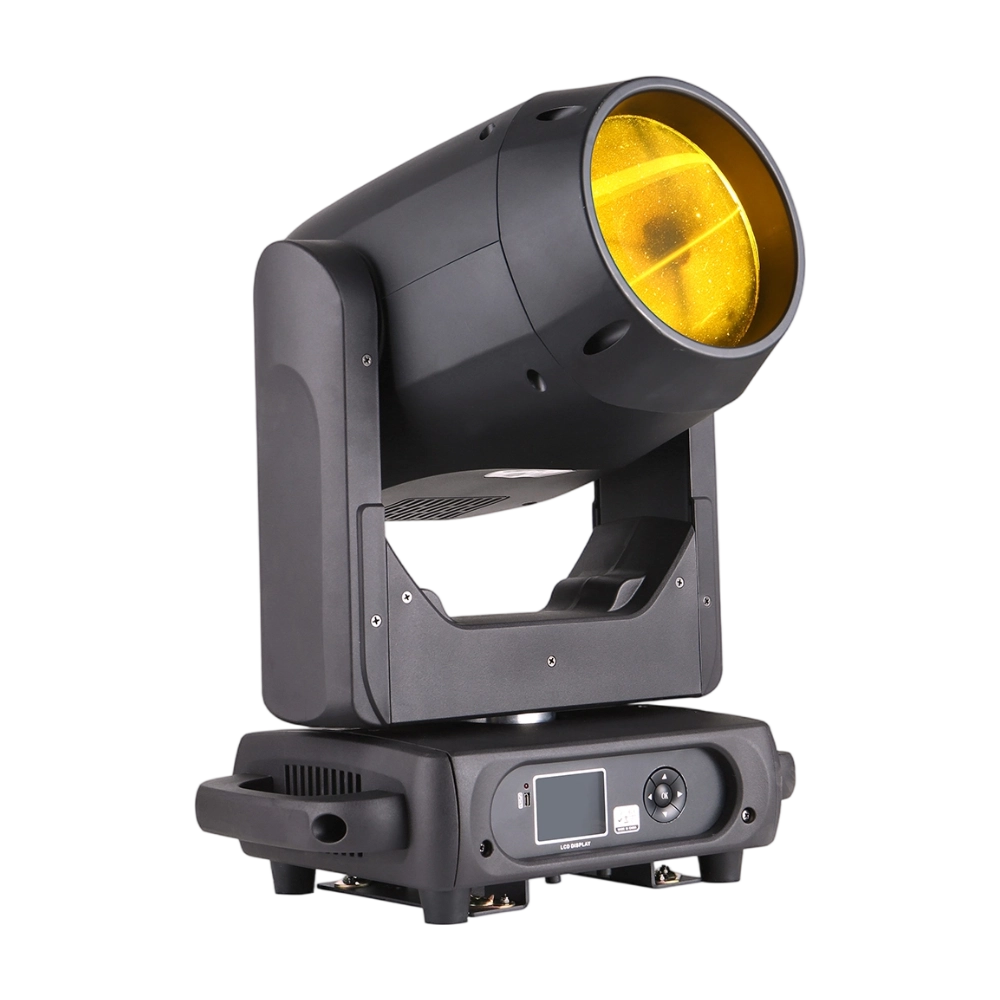
Moving Head Stage Light BEAM 360
BEAM360 is a 400W high-power moving head beam equipped with an OSRAM SIRIUS 311W discharge lamp, delivering a sharp 1.8° beam with super brightness. It features 14 colors + open, 12 fixed metal gobos + open, and dual prisms (8-facet circular + 8+16 multi-facet combination) for dynamic aerial effects. With 540° pan / 270° tilt, 16-bit movement, and linear frost and focus, BEAM360 ensures precision and versatility. Compact yet powerful, it rivals traditional 575W moving heads, making it ideal for concerts, clubs, and large-scale stage productions.
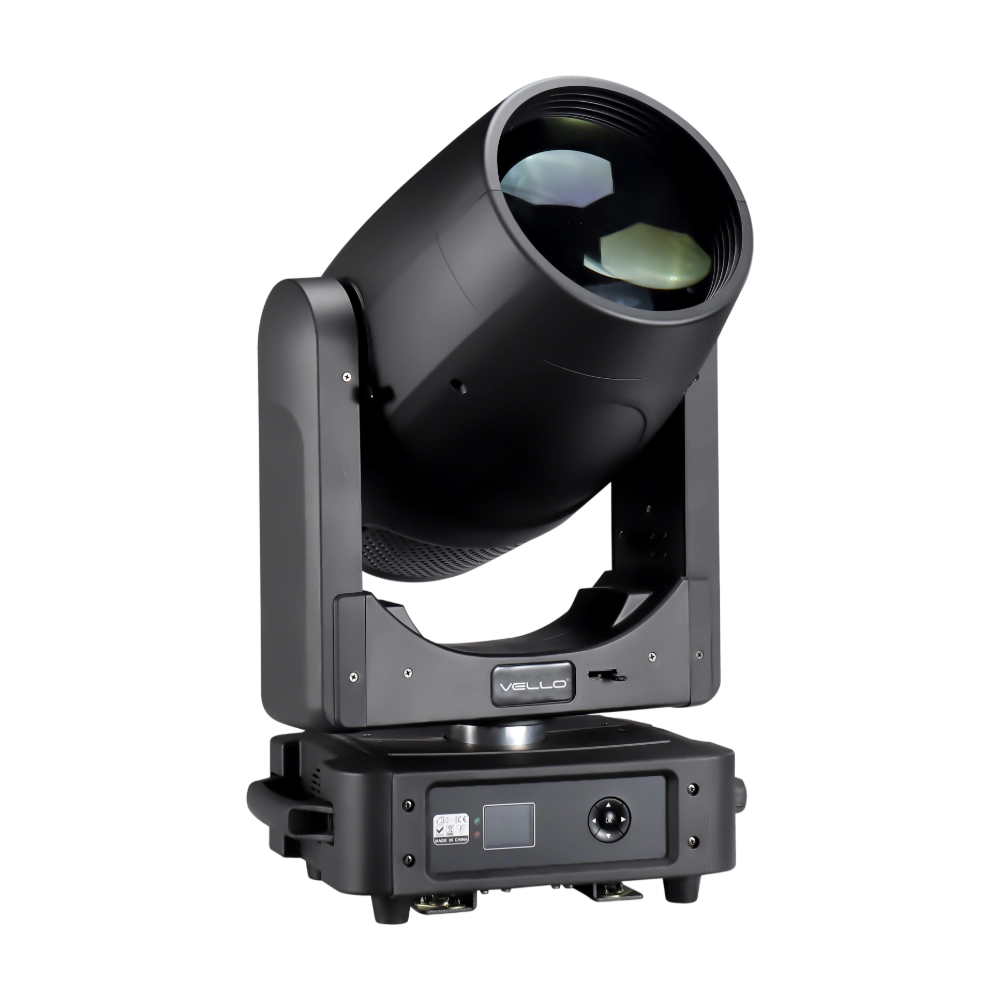
Moving Head Light BEAM 450
The BSW450 is a high-performance moving head fixture equipped with an original Osram 420W bulb, delivering exceptional brightness, precision, and versatility. Designed for professional stage applications, it seamlessly combines beam, spot, and wash functions in one compact unit, making it a powerful all-in-one lighting solution.
Over 20 Years of Innovation in Stage & Studio Lighting
© 2026 VELLO. All Rights Reserved. 粤ICP备20023734号
Join our socials
VELLO
Whatsapp: +8613902276704
Vello Lighting
VelloLights