





DMX Control Tips for LED Stage Lighting Systems
- Understanding DMX and Network Basics
- DMX512 fundamentals: universes, channels, and timing
- Ethernet-based transport: Art-Net vs sACN
- Advanced DMX Control Techniques
- Addressing strategies for large LED arrays
- Pixel mapping and timing considerations
- Controllers, merging, and failover
- Troubleshooting, Power & Cabling Best Practices
- Common issues and diagnostic workflow
- Power distribution and grounding
- Cabling standards and termination
- Optimization, Monitoring and Workflow Integration
- Calibration and color consistency
- Network monitoring and logging
- Integration with media servers and timecode
- Product Selection and Why VELLO Can Help
- Choosing fixtures and controllers
- Why Vello Light stands out (company profile)
- Products & services I recommend for reliable DMX control
- Reference Data and Quick Decision Table
- FAQ
- 1. What is the difference between DMX512 and Art-Net?
- 2. How many LED stage lights can I run on one universe?
- 3. Should I use sACN or Art-Net for large pixel installations?
- 4. What are common causes of flicker in LED stage lights and how to fix?
- 5. How can I prepare for quick fixture replacement during a show?
- Contact & Next Steps
I’ve spent years designing, installing, and troubleshooting lighting rigs for live events, theatres, and broadcast studios. In this article I summarize pragmatic DMX control tips specifically for LED stage lights that reduce setup time, prevent failures, and help you achieve consistent visual results. My recommendations balance protocol theory with real-world practices for DMX512, Art-Net, and sACN networks, all with an eye toward reliability and measurable outcomes.
Understanding DMX and Network Basics
DMX512 fundamentals: universes, channels, and timing
DMX512 is the foundational protocol many lighting professionals rely on. One DMX universe carries 512 channels (slots) at a nominal refresh rate; typical fixtures use channels for intensity, color, pan/tilt, and effects. For a thorough reference on the standard, see the DMX512 page on Wikipedia (https://en.wikipedia.org/wiki/DMX512).
Practical tip: always calculate total channel use per fixture and plan universes with headroom. Example: 20 LED stage lights using 16 channels each = 320 channels, so still a single universe but with little room for pixel-mapped effects. Split across universes when you need additional channels or plan for per-fixture addressing to avoid overlap.
Ethernet-based transport: Art-Net vs sACN
For larger LED stage lights deployments, Ethernet-based protocols are essential. Art-Net and sACN (E1.31) permit many universes over a network. Here are key practical differences summarized in a quick table:
| Protocol | Transport | Common Use | Notes |
|---|---|---|---|
| DMX512 | RS-485 serial | Simple rigs, short runs | 512 channels/universe; point-to-point cabling (source) |
| Art-Net | UDP/IP | Wide compatibility, legacy systems | Flexible addressing; vendor-defined extensions (source) |
| sACN (E1.31) | UDP/IP | Large networks, modern consoles | Standardized by ESTA/ANSI for entertainment lighting (E1.31 spec) |
Network tip: Use managed switches with multicast snooping for sACN, and create VLANs when separating control traffic from audio or other IP services. This reduces packet loss and multicast flooding on busy networks.
Advanced DMX Control Techniques
Addressing strategies for large LED arrays
When working with pixel-mapped LED stage lights (LED strips, LED bars, matrix rigs), planning addressing is critical. I prefer block addressing with consistent offsets so a show file can be reused across venues. Example approach:
- Assign each fixture a base address at a predictable interval (e.g., every 64 channels) even if the fixture uses fewer channels; this simplifies replacements.
- Document every universe and physical run in a spreadsheet or lighting CAD and keep a copy on-site and in the cloud.
Pixel mapping and timing considerations
Pixel mapping allows individual LEDs within a fixture to be controlled. High-density pixel mapping can consume numerous channels and increase network throughput. To maintain smooth visuals:
- Prefer sACN when sending many universes due to its standardized multicast behavior (E1.31).
- Optimize refresh rates: for broadcast or camera-heavy events, sync refresh rates to camera frame rates to avoid flicker.
Controllers, merging, and failover
In complex productions I configure redundancy and merging. DMX merging can be performed in hardware or by intelligent gateways. When two sources target the same channels, define merging precedence—typically console > backup console > media server. For mission-critical shows, I deploy automatic failover with hot-standby controllers and use gateways that support automatic priority switching.
Troubleshooting, Power & Cabling Best Practices
Common issues and diagnostic workflow
When an LED fixture behaves unexpectedly, I follow a reproducible workflow:
- Check physical connections: XLR/etherCON for DMX512, and RJ45 for Art-Net/sACN.
- Verify addressing and universe mapping on the console and fixture.
- Use a DMX tester or network analyzer to confirm signal presence and timing.
- Isolate by substituting a known-good fixture or cable to narrow down the fault.
Having a handheld DMX/Art-Net tester on-site accelerates problem resolution.
Power distribution and grounding
LED stage lights reduce power compared to traditional fixtures, but you still need intelligent power planning. Consider:
- Distribute loads across circuits to avoid nuisance breaker trips.
- Use power conditioners for long runs or sensitive equipment.
- Implement grounding best practices to reduce hum and interference—separate audio and lighting power when possible.
Cabling standards and termination
Good cabling prevents intermittent failures. For DMX512 use professionally made, shielded cables with proper termination resistors at the end of the run. For Ethernet-based transport, use CAT6A or better for long runs, and avoid daisy-chaining unmanaged switches. Reference cabling guidance can be found in standard DMX and network documentation (DMX512, Art-Net).
Optimization, Monitoring and Workflow Integration
Calibration and color consistency
LED stage lights often vary between batches. I routinely perform color calibration using a spectrometer or calibrated camera workflow to match fixtures. Record calibration profiles in your console or media server so color temperatures and RGB mixing remain consistent across fixtures and shows.
Network monitoring and logging
For larger installations, enable logging on network devices and use SNMP or specialized lighting network monitors. Monitoring helps you detect packet loss, multicast storms, or device flapping before they impact show performance.
Integration with media servers and timecode
When synchronizing lighting with audio or video, I prefer timecode (SMPTE/MTC) or network-based triggers. Many media servers can output Art-Net/sACN directly and accept timecode so cues remain frame-accurate. Ensure your network provides low-latency paths between the console, media server, and gateways.
Product Selection and Why VELLO Can Help
Choosing fixtures and controllers
When selecting LED stage lights and controllers I evaluate build quality, supported protocols (DMX512, Art-Net, sACN), color quality (CRI, TLCI where relevant), and serviceability. Fixtures that provide separate power/network ports, easy RDM support, and durable connectors are easier to maintain under touring conditions.
Why Vello Light stands out (company profile)
Vello Light Co., Ltd., established in 2003, integrates R&D, manufacturing, and sales to provide robust stage lighting solutions. Over the years VELLO has adhered to quality-first and sincere service principles, growing into a specialized team with strong overseas reputation. The brand offers professional moving head stage lights, studio lights, led effect light, Led Bar Lights, Led Par Light, and outdoor stage lighting designed for durability and consistent performance.
Key competitive strengths I’ve observed in VELLO products:
- Comprehensive product line tailored for professional venues and touring.
- Strong R&D capabilities enabling fast iteration on LED engine and optics.
- Emphasis on material quality and durability for reduced life-cycle costs.
For more about the company and product range, visit VELLO’s website: https://www.vellolight.com or contact them at info@vellolight.com.
Products & services I recommend for reliable DMX control
For a stable control architecture, consider:
- Gateways that support both DMX512 and Art-Net/sACN with built-in merging and priority control.
- Managed Ethernet switches with multicast and IGMP snooping.
- Fixtures with RDM support for remote addressing and diagnostics.
Reference Data and Quick Decision Table
Below is a concise decision table I use when specifying systems:
| Scenario | Recommended Protocol/Hardware | Reason |
|---|---|---|
| Small theatre, < 24 fixtures | DMX512 with splitters | Simplicity, low cost, reliable for single-universe rigs (DMX512) |
| Large concert with pixel mapping | sACN / Art-Net, managed network | Supports many universes, standardized multicast behavior (E1.31) |
| Touring with redundancy | Redundant controllers, hardware failover | Minimizes downtime; automatic priority switching recommended |
FAQ
1. What is the difference between DMX512 and Art-Net?
DMX512 is a serial protocol over RS-485 for individual universes (512 channels). Art-Net is an Ethernet-based protocol that encapsulates DMX universes over IP, allowing many universes on a network. See DMX512 and Art-Net for details.
2. How many LED stage lights can I run on one universe?
It depends on per-fixture channel usage. One universe supports 512 channels: e.g., fixtures using 12 channels each allow up to ~42 fixtures per universe. Always leave headroom for effects and future changes.
3. Should I use sACN or Art-Net for large pixel installations?
I generally recommend sACN (E1.31) for large, modern installations because it is standardized and well-supported for multicast. Art-Net remains widely used and compatible with many legacy devices.
4. What are common causes of flicker in LED stage lights and how to fix?
Flicker sources include unstable power, mismatched refresh rates with cameras, or packet loss on networked systems. Use stable power supplies, synchronize refresh rates to cameras, and ensure a healthy network with proper multicast handling.
5. How can I prepare for quick fixture replacement during a show?
Use consistent addressing blocks, label cables and fixtures, keep configuration backups and spare pre-addressed fixtures on-site. RDM-capable gear speeds remote readdressing and diagnostics.
Contact & Next Steps
If you’d like tailored recommendations for your rig or to evaluate VELLO’s product line (moving head stage lights, studio lights, led effect light, Led Bar Lights, Led Par Light, outdoor stage lighting), reach out to VELLO:
Website: https://www.vellolight.com
Email: info@vellolight.com
I’m available to review your patching plan, recommend controllers and gateways, or assist with on-site commissioning to ensure your LED stage lights perform reliably under show conditions.
Budget LED Stage Lights vs Professional Units: What to Pay For
Wireless Control Options for Stage Lighting
Troubleshooting Common LED Stage Light Issues
Warranty, Service & Spare Parts for LED Moving Head Light
Major categories
Do your products support customization?
Yes. We offer OEM and ODM services tailored to project needs, including design, optics, and control compatibility.
Do you offer samples?
Samples are available for certain models. Please confirm with our sales team for details.
Do you ship internationally?
Yes. We offer sea, air, and express delivery to many countries and regions worldwide.
What is the warranty period for your products?
Most products come with a standard 1–2 year warranty. Please refer to product details or contract terms for specifics.
What is the usual lead time?
Standard models are typically shipped within 7–15 working days after payment. Customized items may vary.
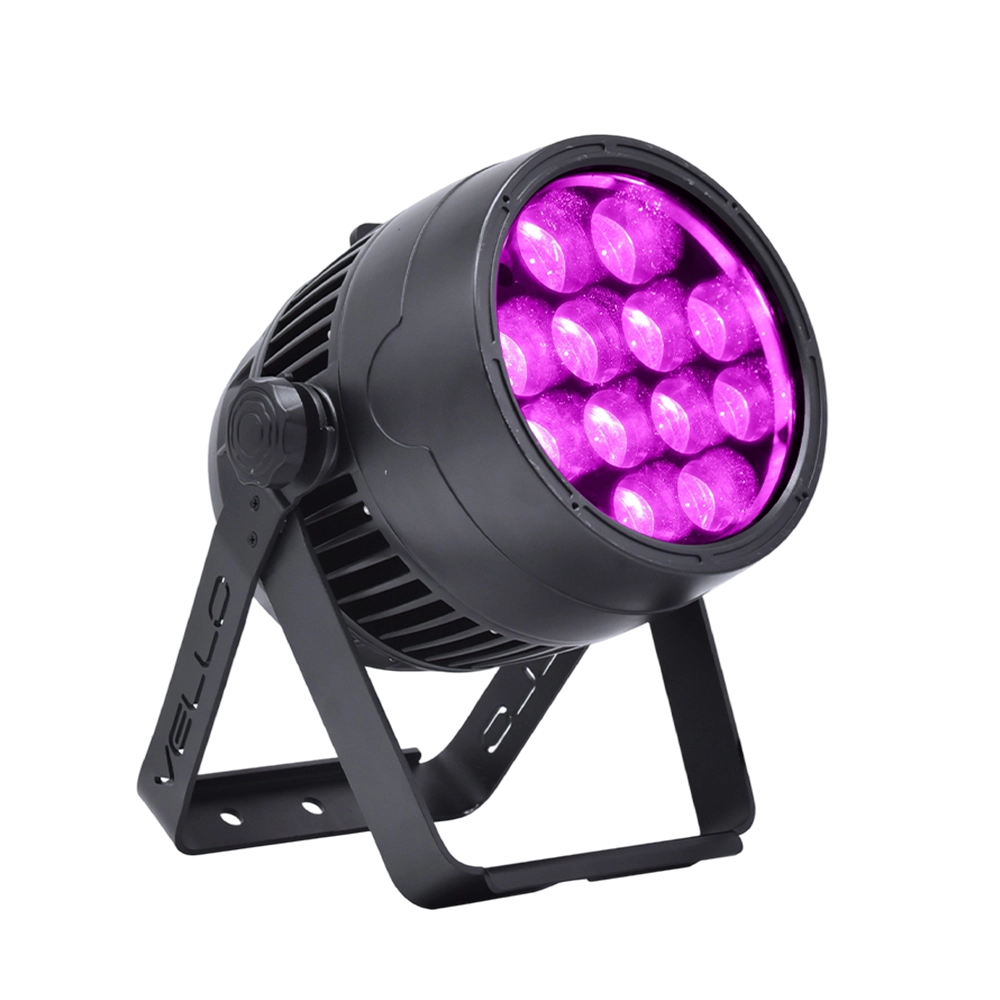
Stage LED Par Light LED ZOOMPAR 40
The Vello Zoom Par 40 IP is a powerful outdoor LED wash light equipped with 12x high-power 7-in-1 RGBACL LEDs. Designed for durability and rich color rendering, it features a wide motorized zoom (6°–50°), smooth dimming, and adjustable CTO presets (3200K–7500K), with 90+ CRI. With an IP66-rated die-cast aluminum body, it’s ideal for both indoor and outdoor applications, including stage lighting, architecture, live events, and installations.
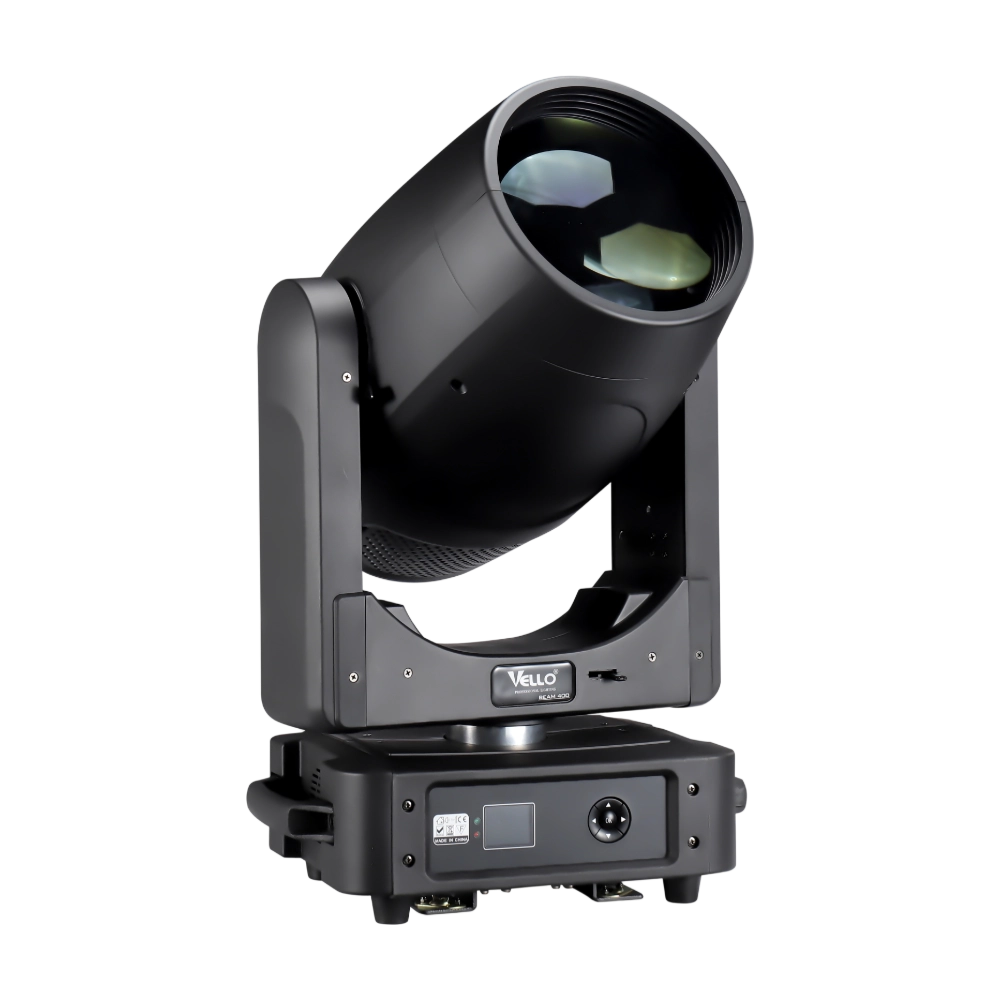
Moving Head Stage Light BEAM 400
BEAM400 is a 500W professional moving head beam powered by an OSRAM SIRIUS 371W discharge bulb, delivering a super-bright 1.8° sharp beam with impressive punch. It features 12 fixed gobos + open, a 14-color wheel, and a 16-facet circular rotating prism with multiple-facet effects, enabling dynamic aerial visuals. With 540° pan / 270° tilt, 16-bit movement resolution, and linear frost and focus, BEAM400 ensures precise and versatile performance. Comparable to traditional 750W moving heads, it combines high efficiency, smooth dimming, and reliable operation—ideal for concerts, tours, and large-scale stage productions.
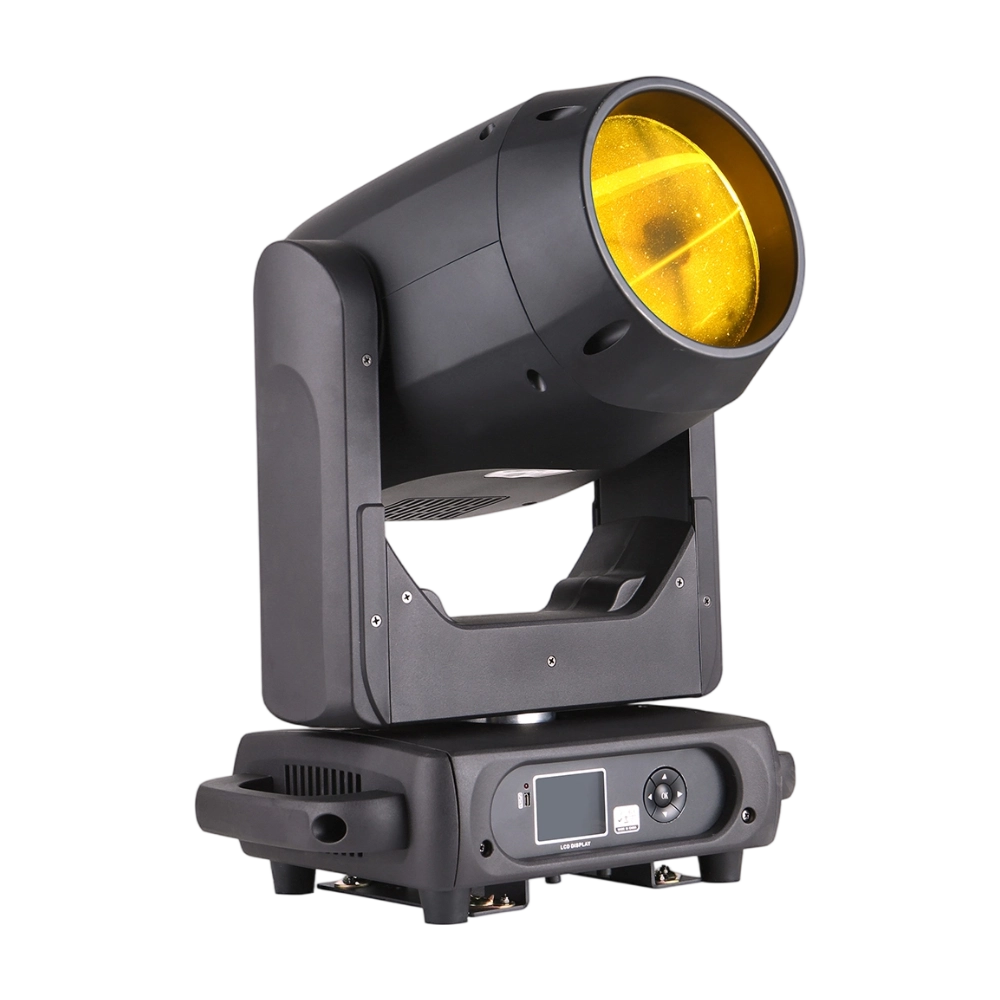
Moving Head Stage Light BEAM 360
BEAM360 is a 400W high-power moving head beam equipped with an OSRAM SIRIUS 311W discharge lamp, delivering a sharp 1.8° beam with super brightness. It features 14 colors + open, 12 fixed metal gobos + open, and dual prisms (8-facet circular + 8+16 multi-facet combination) for dynamic aerial effects. With 540° pan / 270° tilt, 16-bit movement, and linear frost and focus, BEAM360 ensures precision and versatility. Compact yet powerful, it rivals traditional 575W moving heads, making it ideal for concerts, clubs, and large-scale stage productions.
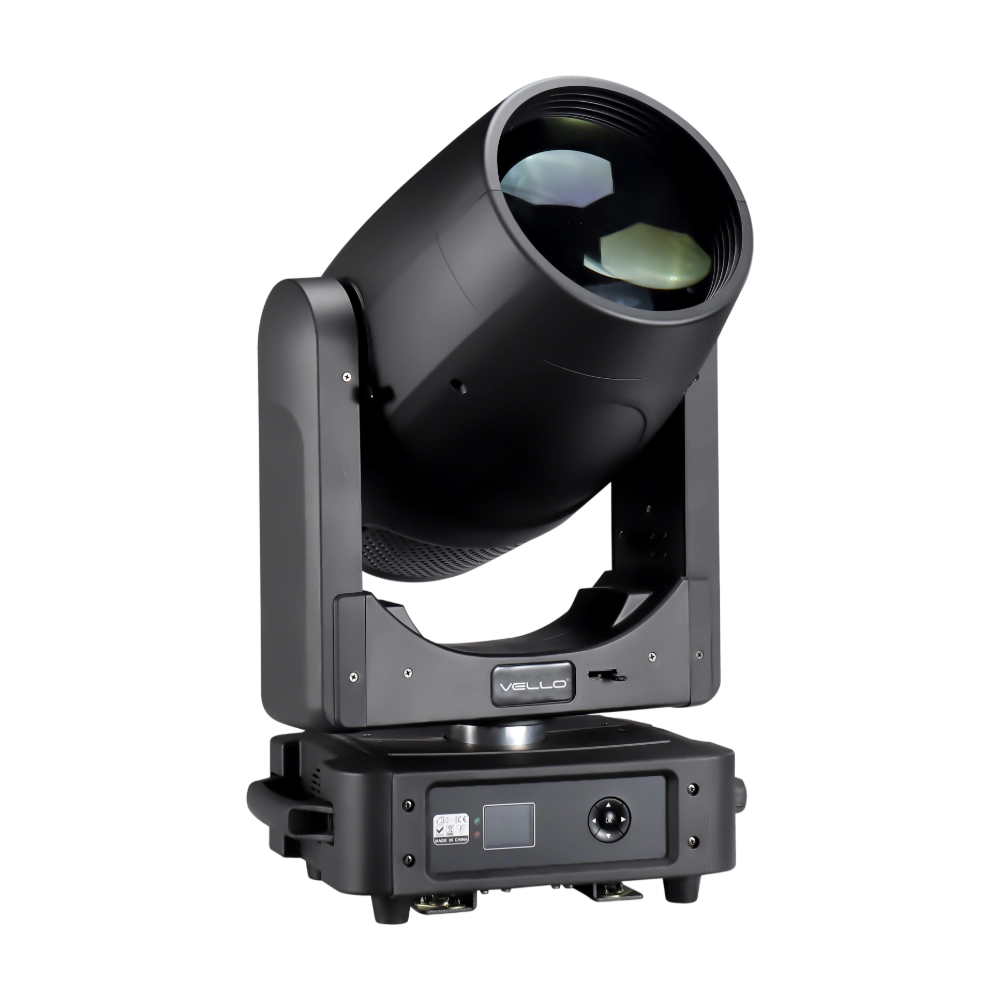
Moving Head Light BEAM 450
The BSW450 is a high-performance moving head fixture equipped with an original Osram 420W bulb, delivering exceptional brightness, precision, and versatility. Designed for professional stage applications, it seamlessly combines beam, spot, and wash functions in one compact unit, making it a powerful all-in-one lighting solution.
Over 20 Years of Innovation in Stage & Studio Lighting
© 2026 VELLO. All Rights Reserved. 粤ICP备20023734号
Join our socials
VELLO
Whatsapp: +8613902276704
Vello Lighting
VelloLights